MongoDB Private Link
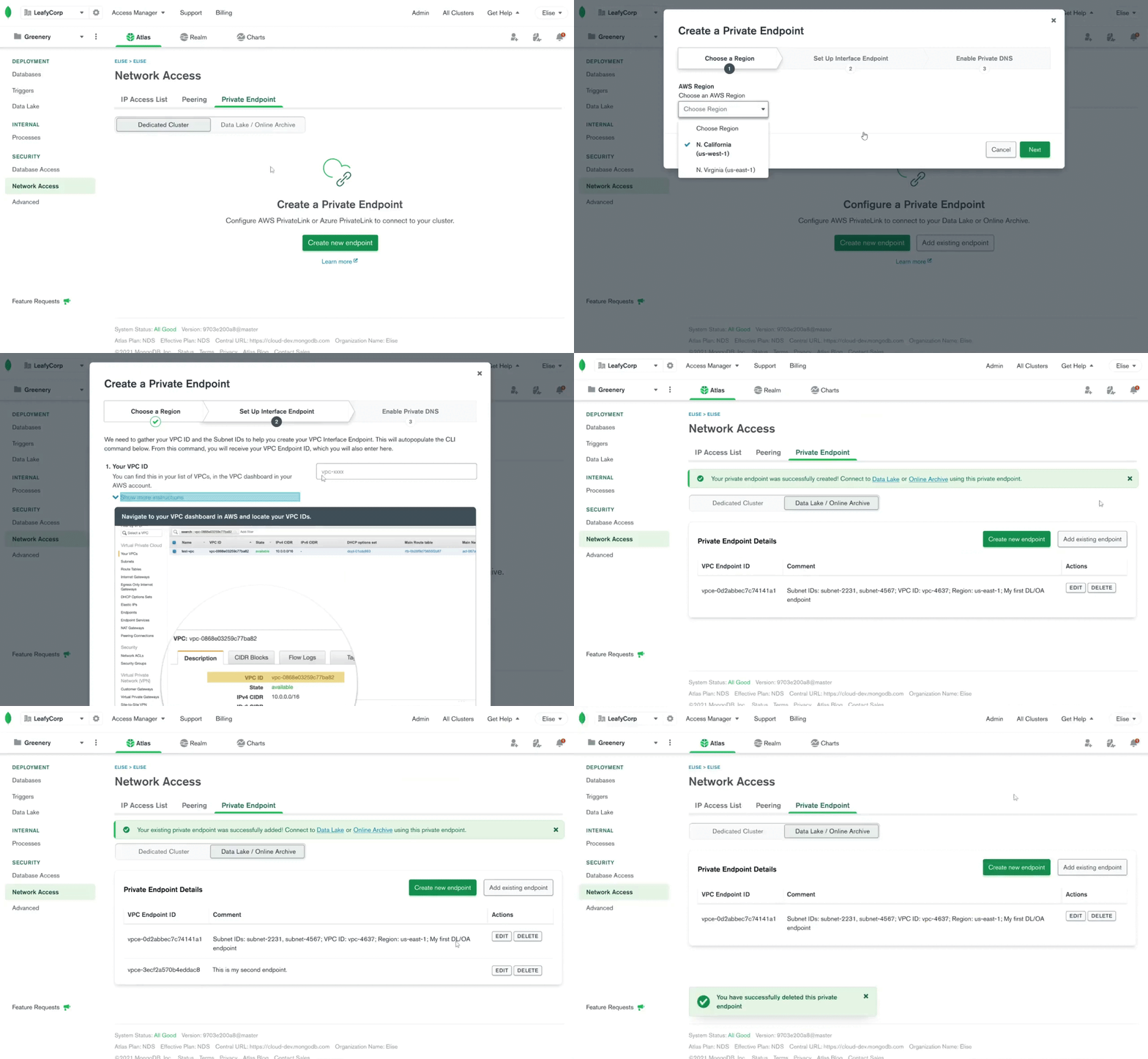
Summary
MongoDB is an open-source, no SQL database platform that offers a variety of products to help companies manage their hu(mongo)us amounts of data. As a product design intern, I created a high-fidelity Figma prototype to describe a smooth, easy-to-use private endpoint creation and connection experience that would allow customers to securely use MongoDB products.
Role
Product Design Intern
Timeline
3 months; Launched
Team
Individual with help from MongoDB Atlas product design, product management, and engineering teams
Customers can't use MongoDB products.
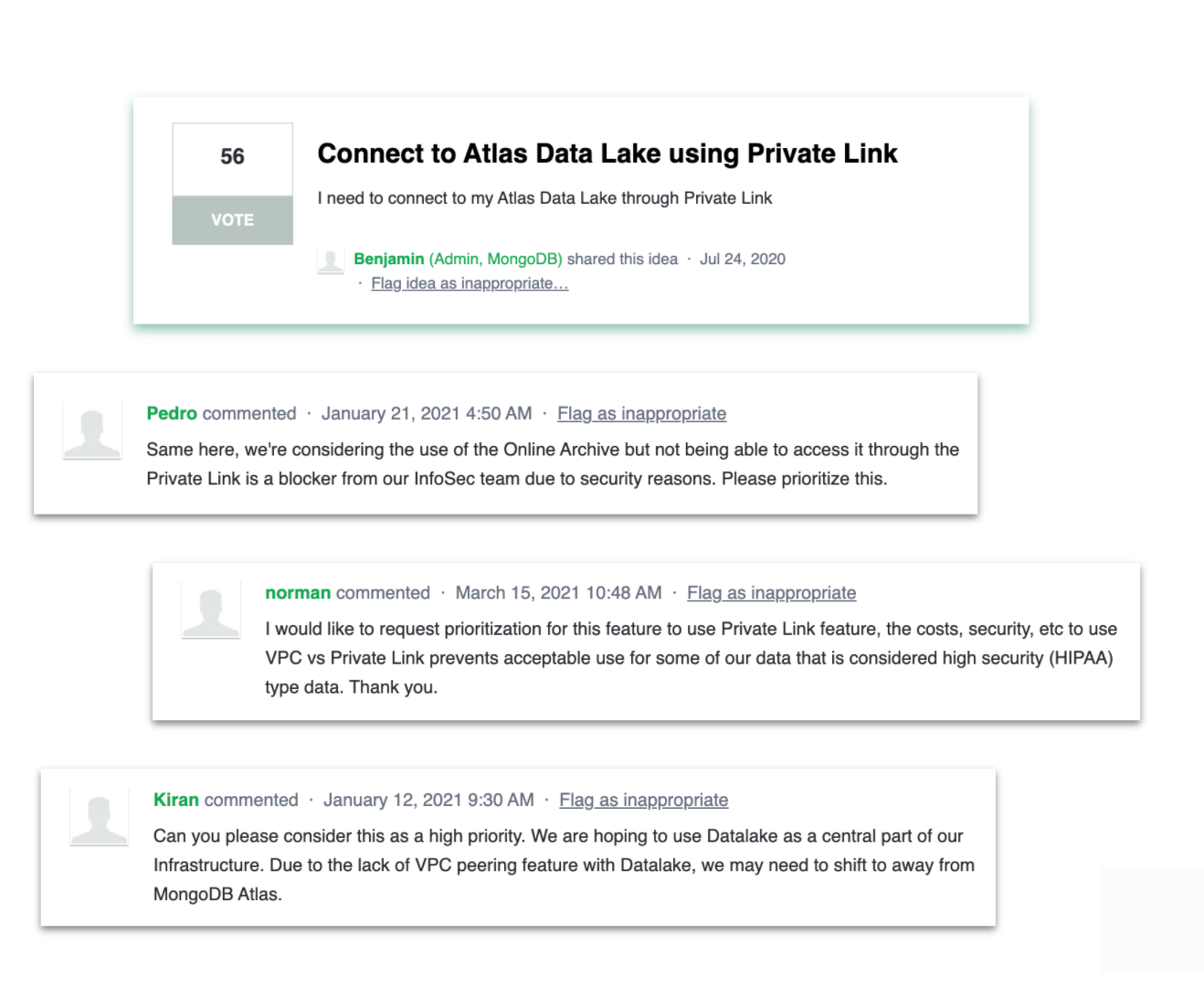
MongoDB regularly communicates with its users through a custom feedback forum. Here, we found that many users (56, to be exact) wanted to use the company's newest products, Atlas Data Lake (ADL) and Online Archive (OA). Yet, due to security concerns, they could not use these MongoDB products.
How might we allow users to connect securely to MongoDB products?
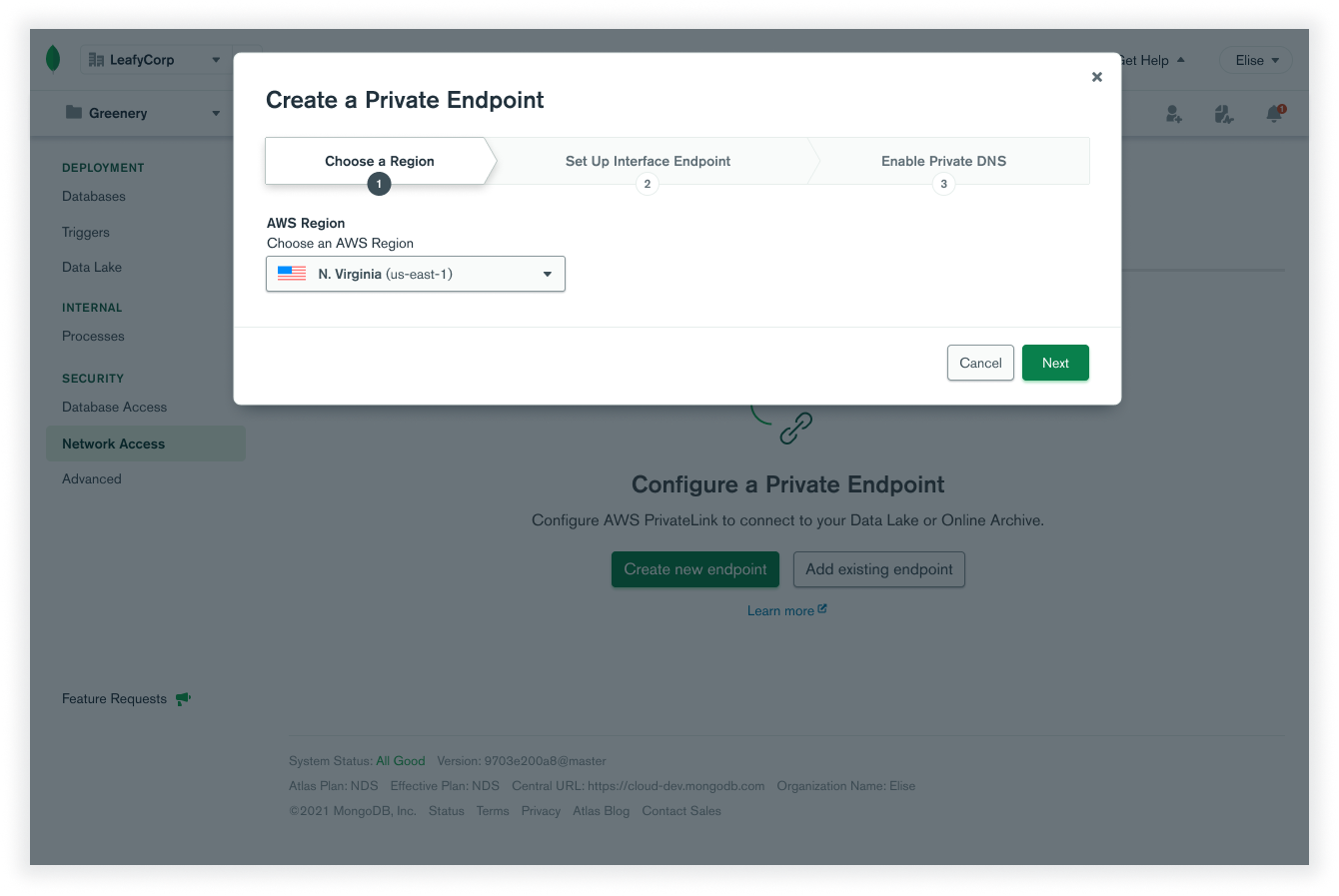
Create a new private endpoint.
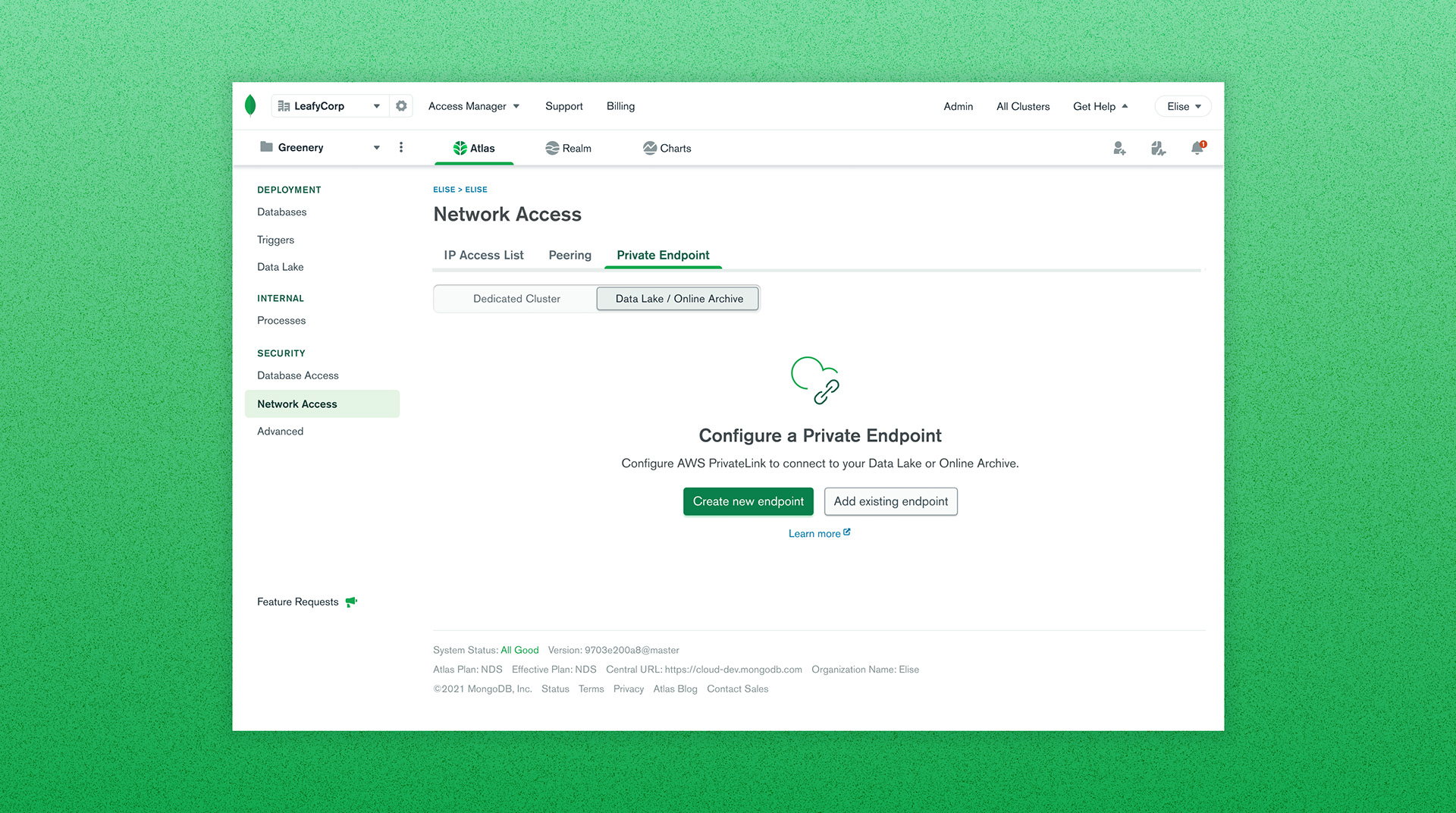
Most users will begin with this step, creating a new AWS private endpoint through MongoDB's setup wizard. In a few steps, users can create a new endpoint to connect to our products securely.
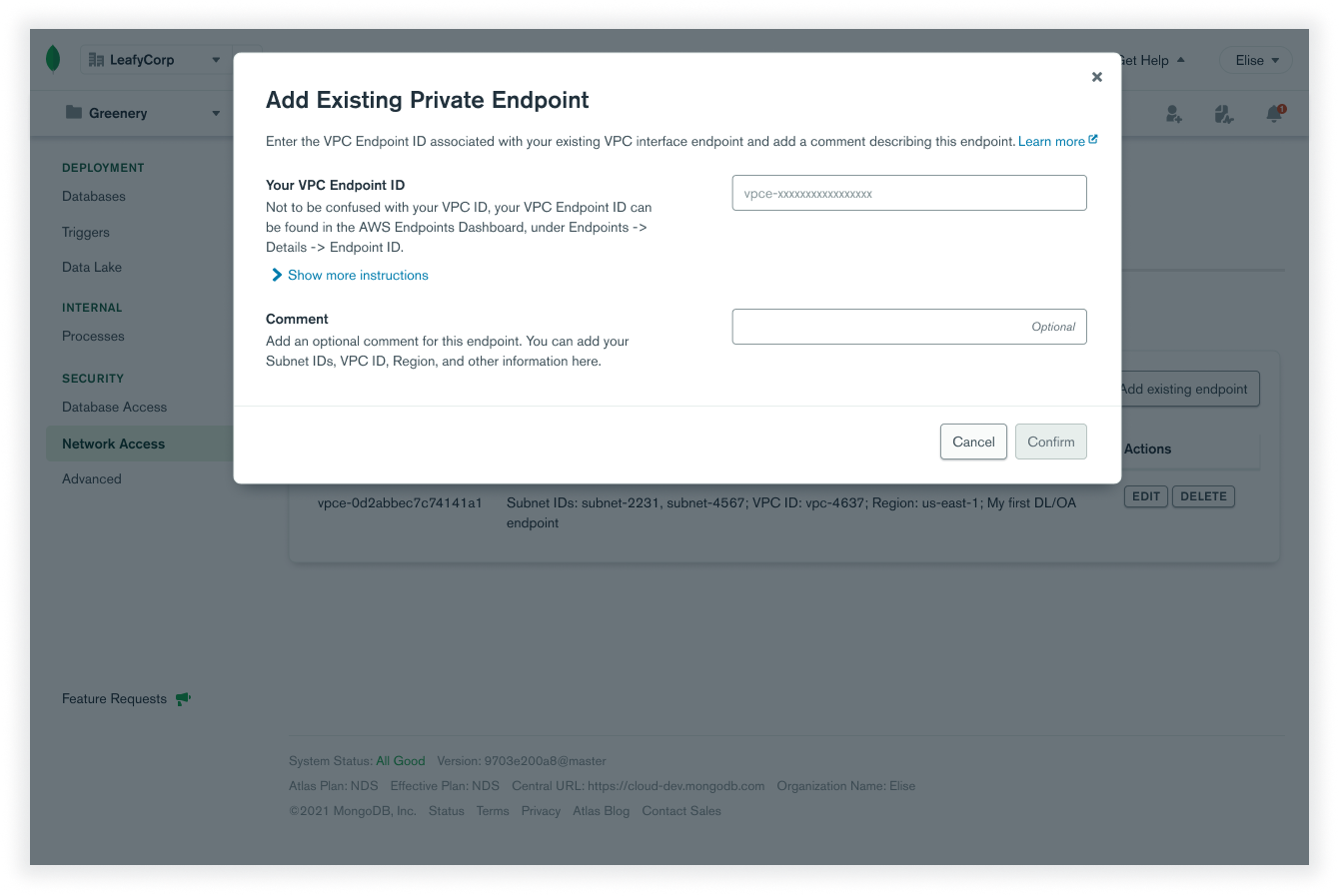
Add an existing endpoint.
Sometimes, users will have already created an endpoint in AWS. They can easily add existing endpoints to MongoDB's service.
Connect using your endpoints.
Once a user has endpoints, they can connect to MongoDB using these private endpoints.
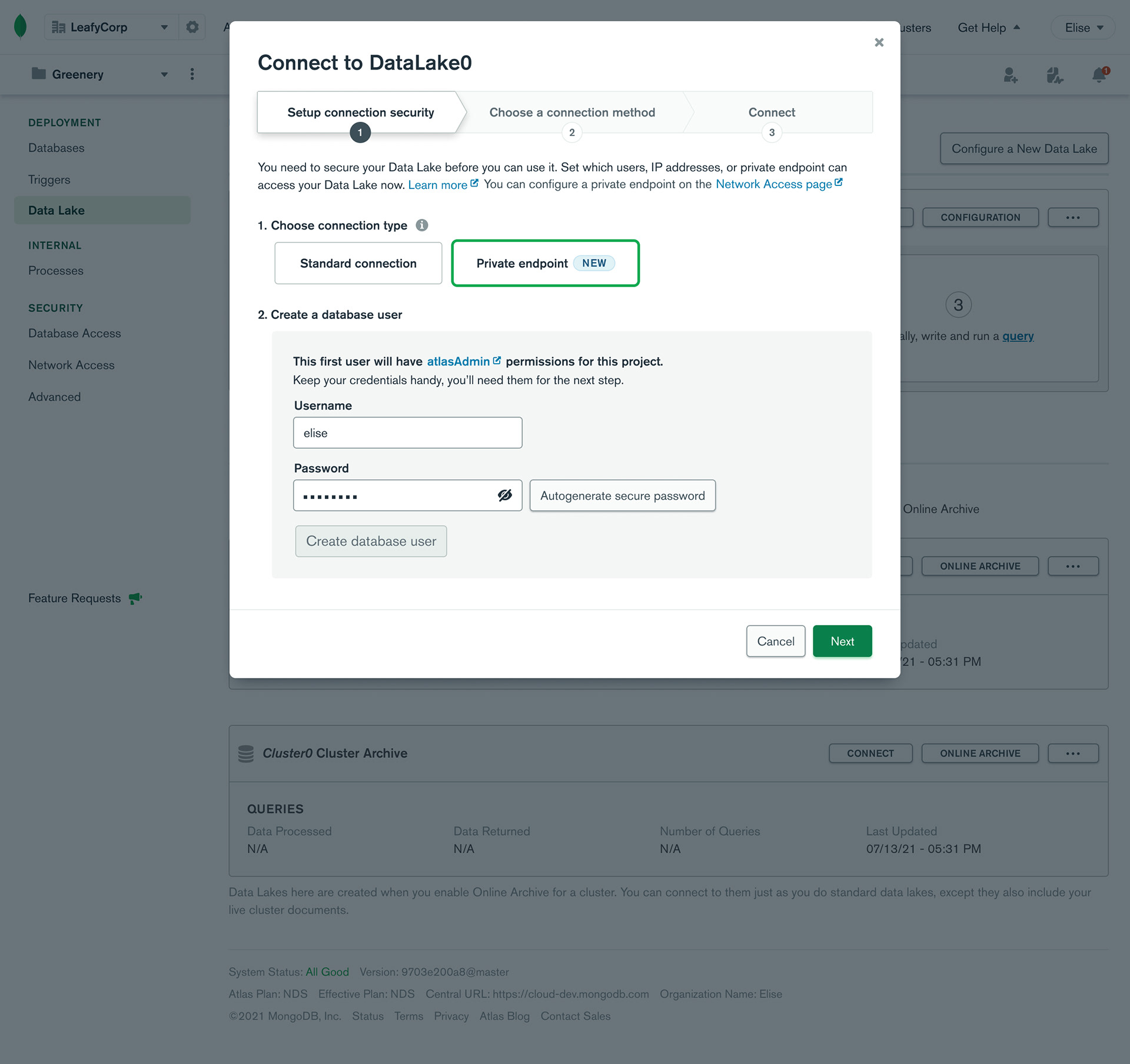
A step-by-step process that allows users to connect to MongoDB products effortlessly.
By designing a private endpoint creation and connection process that is simple and quick, users can spend less time connecting and more time actually utilizing MongoDB's powerful products.
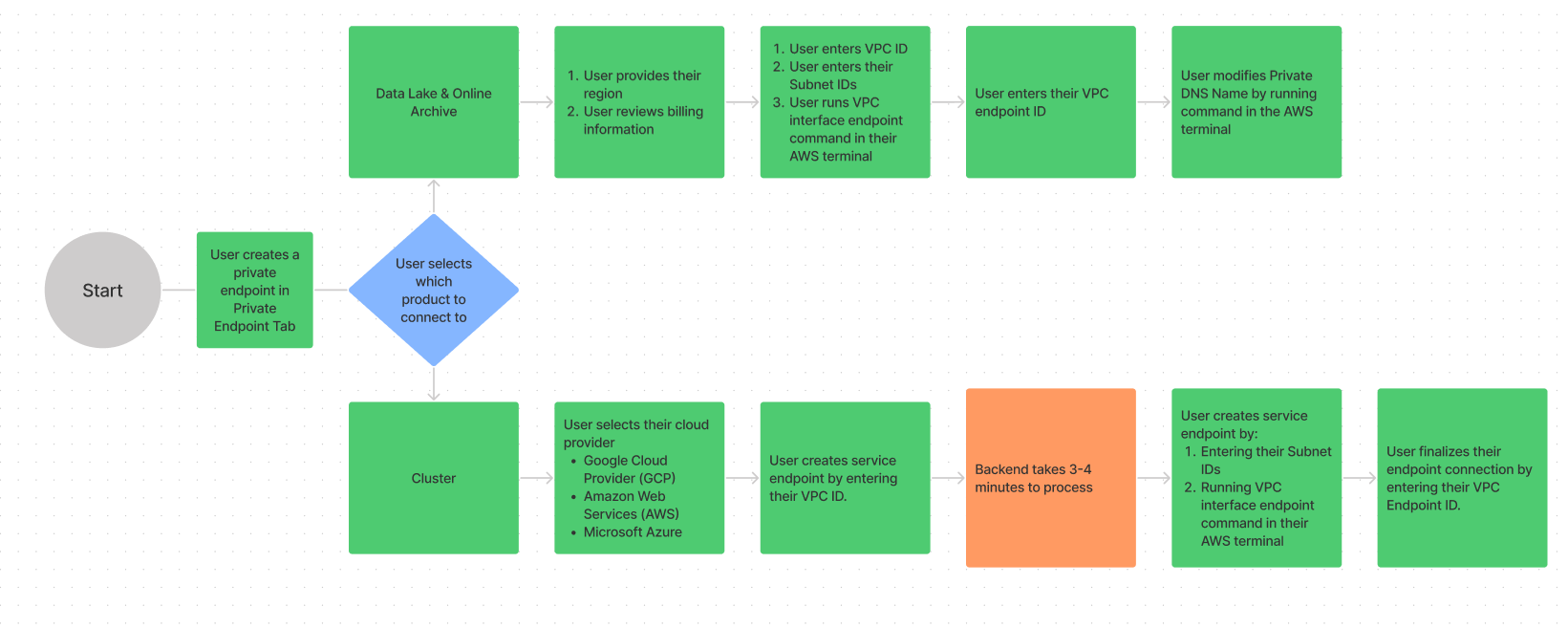
Creating a user flow.
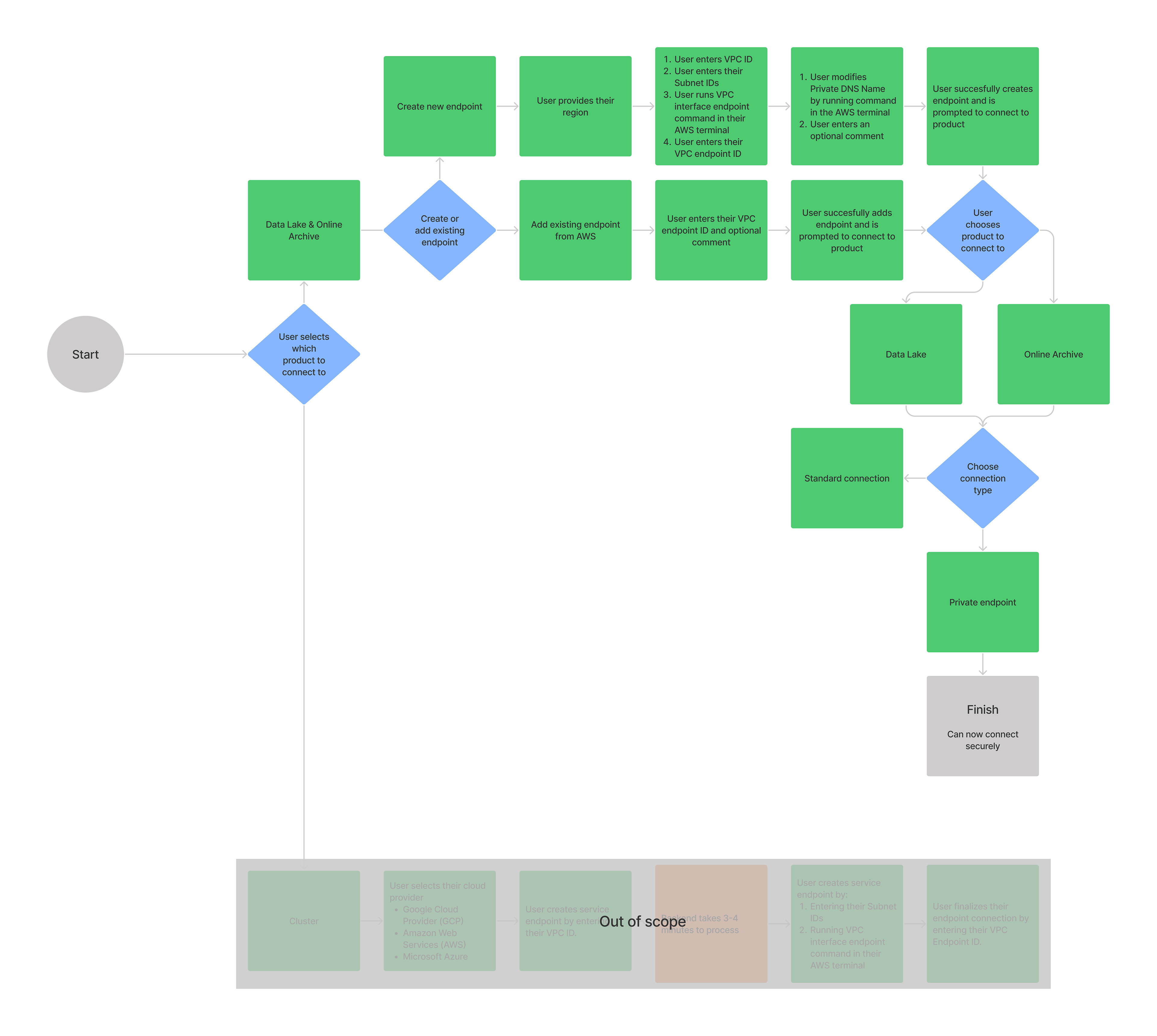
Since we knew what users wanted through the feedback forum, my first step as the primary designer on this project was to collaborate with engineers to figure out how we could allow users to connect to MongoDB products using AWS's Private Link service. I took notes, made diagrams, and user flows to break down a highly technical process into steps everyday users could understand.
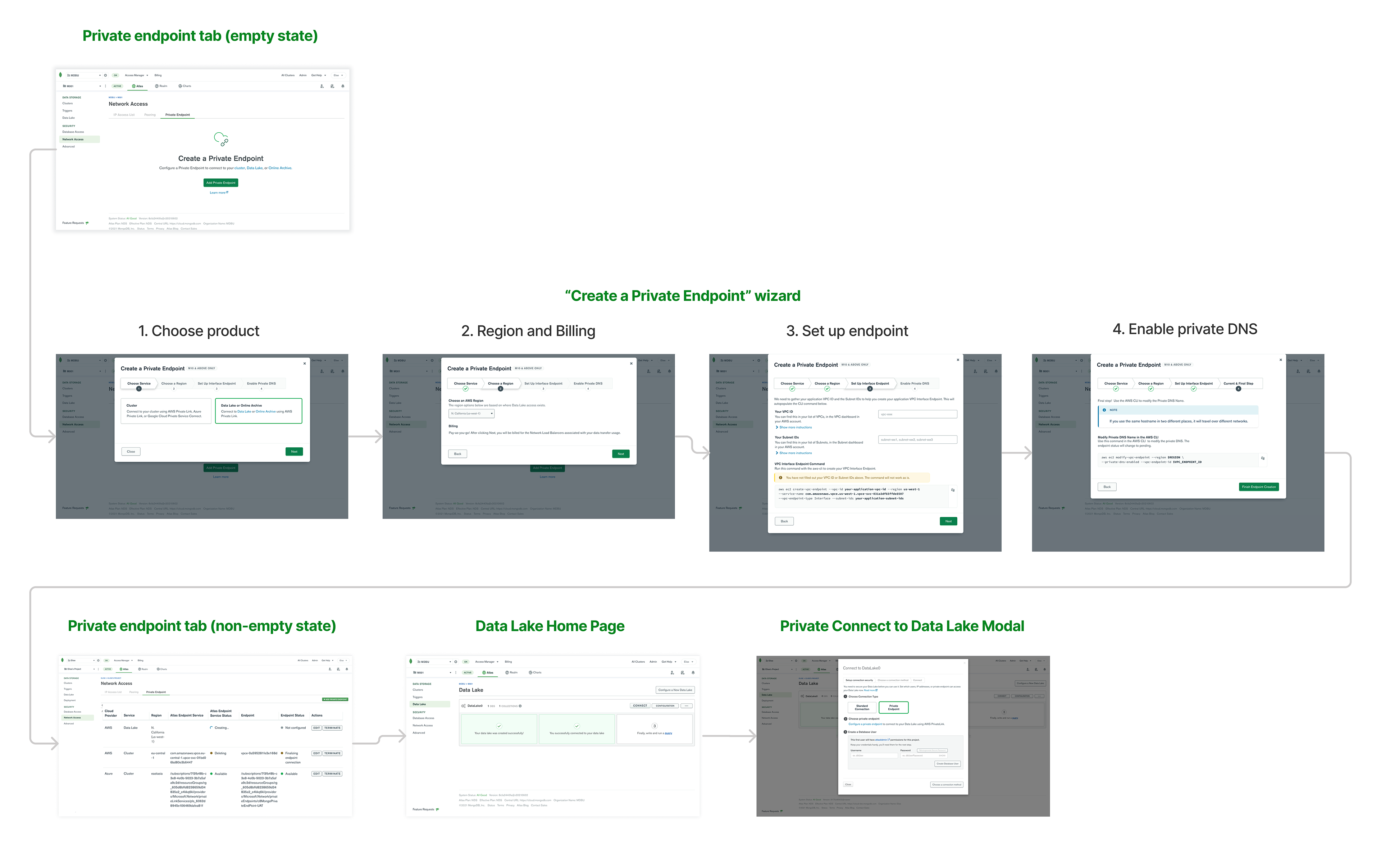
Translating the user flow into an interface.
Once I created a user flow, it was time to translate these steps into a user interface. I used design components like forms, tables, modals, and radio buttons to construct the interface. I applied MongoDB's design system to each component to ensure consistency amongst all MongoDB products and services.
Design jam.
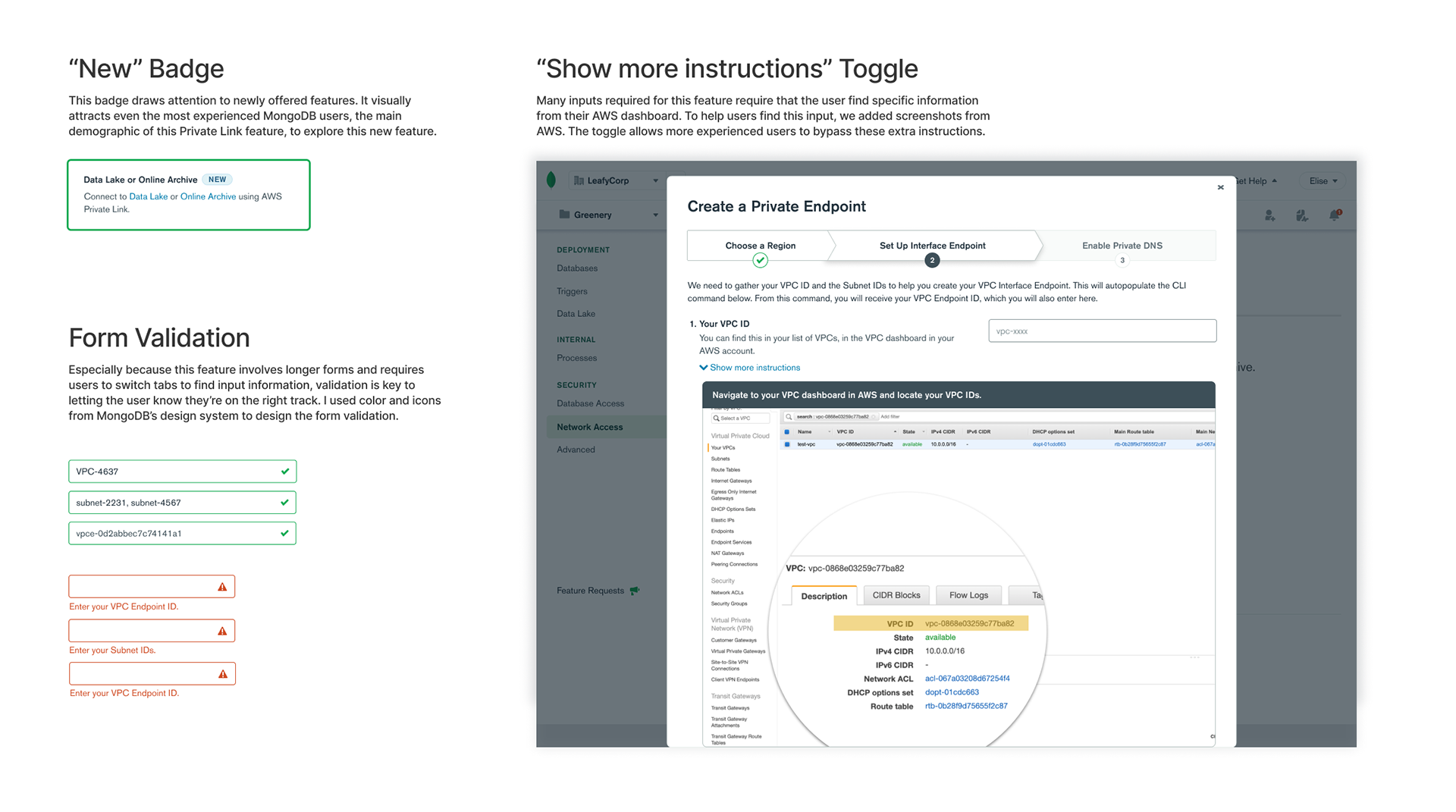
Every week, my design manager hosts a design collab session (basically a design jam) where all designers on our team share our work for informal critiques. I presented my designs, got feedback, and then we all jumped into my Figma file to iterate in real time. Here are just a few of the ideas we explored.
Validating my designs.
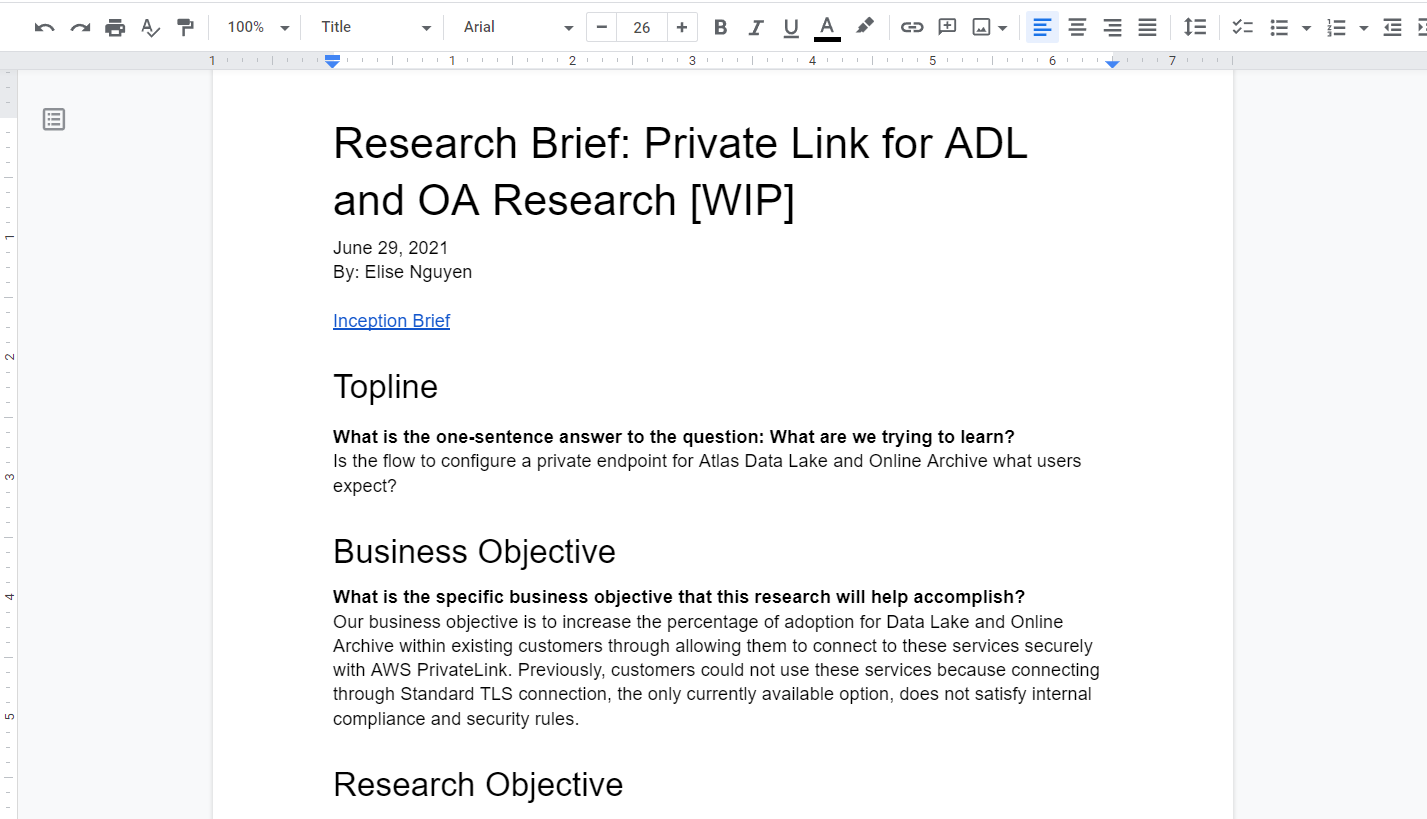
Once I had a complete Figma prototype, I tested it with users through 1-hr moderated interviews. Before the interviews, I prepared a brief describing my goals. I also added instructions for tasks for the users to complete in the prototype, then asked users to reflect on their experience.
Key insights
- Users are experienced.
Users took 3.6 seconds on average to find the private endpoint tab. Many have already created private endpoints for another popular MongoDB feature called clusters before. - Users learn by doing.
Users spent very little time reading instructions. Instead they were focused on completing their task. They relied on incorrect form validation or other visual error messages to complete tasks. - Users are excited for this feature!
Users couldn't wait for this new feature, and were touched that we had listened to and were developing this feature based on their feedback.
New engineering requirements.
I was presenting my designs to the engineering team for feedback almost every week. Halfway through the project, engineers discovered a few more requirements through a Proof of Concept (POC). These changes required me to redo my user flow and designs. This taught me to be flexible in my designs and forced me to learn shortcuts to work fast in Figma to adapt to these changes.
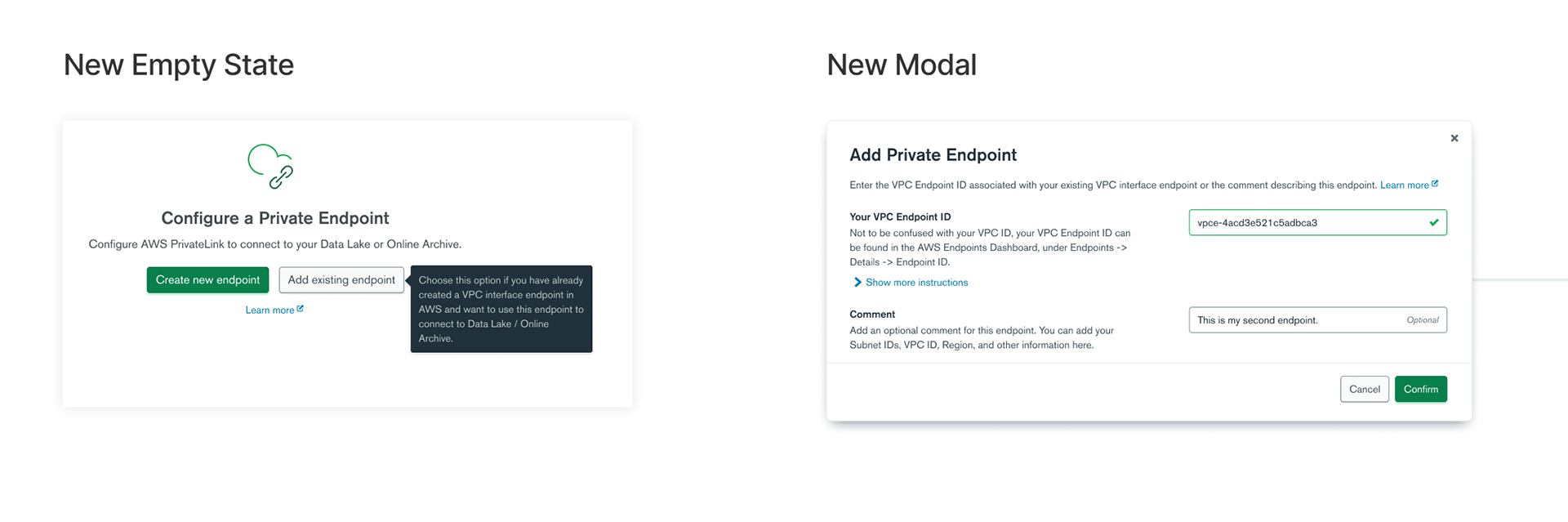
"Add Existing Endpoint" Option.
It was discovered that users could also add an existing endpoint. I created a new user flow and empty state for this action.
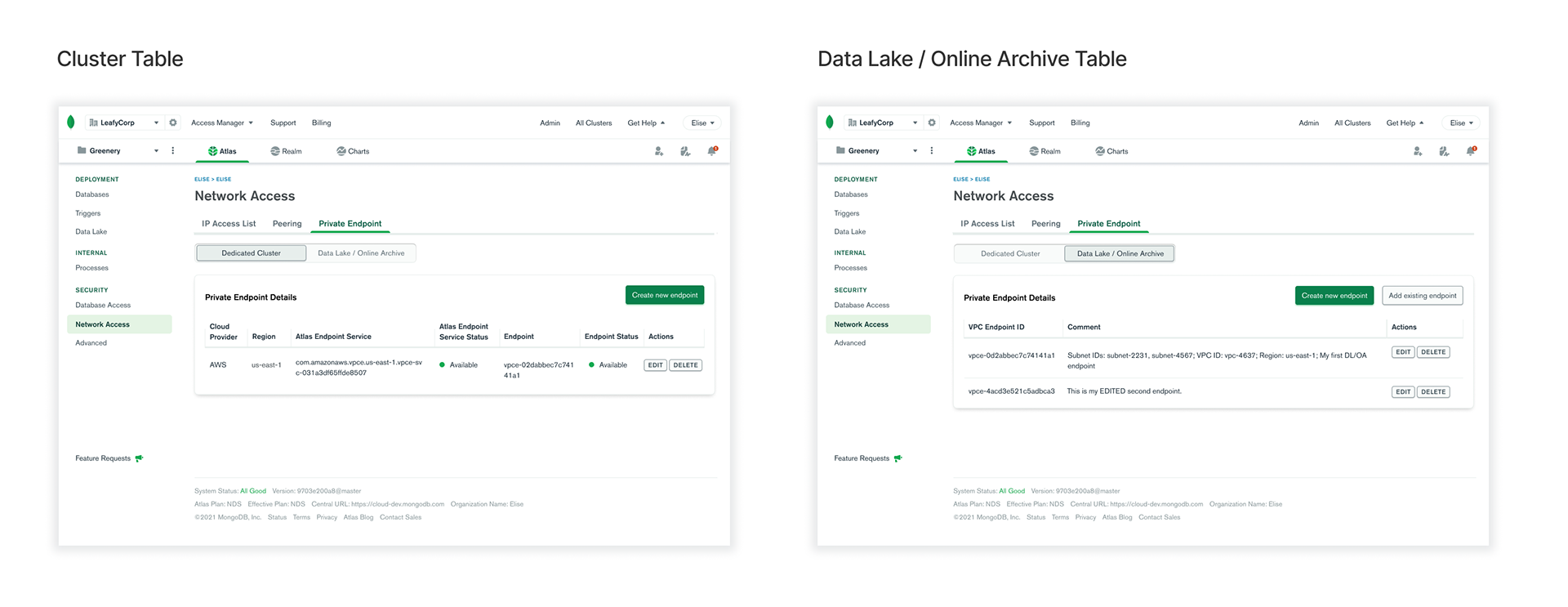
Two Different Tables.
Because endpoints for different MongoDB products had significantly different attributes, they could not be shown in the same page. I ideated on many concepts before deciding to use a toggle to display the two tables.
Adding the finishing touches.
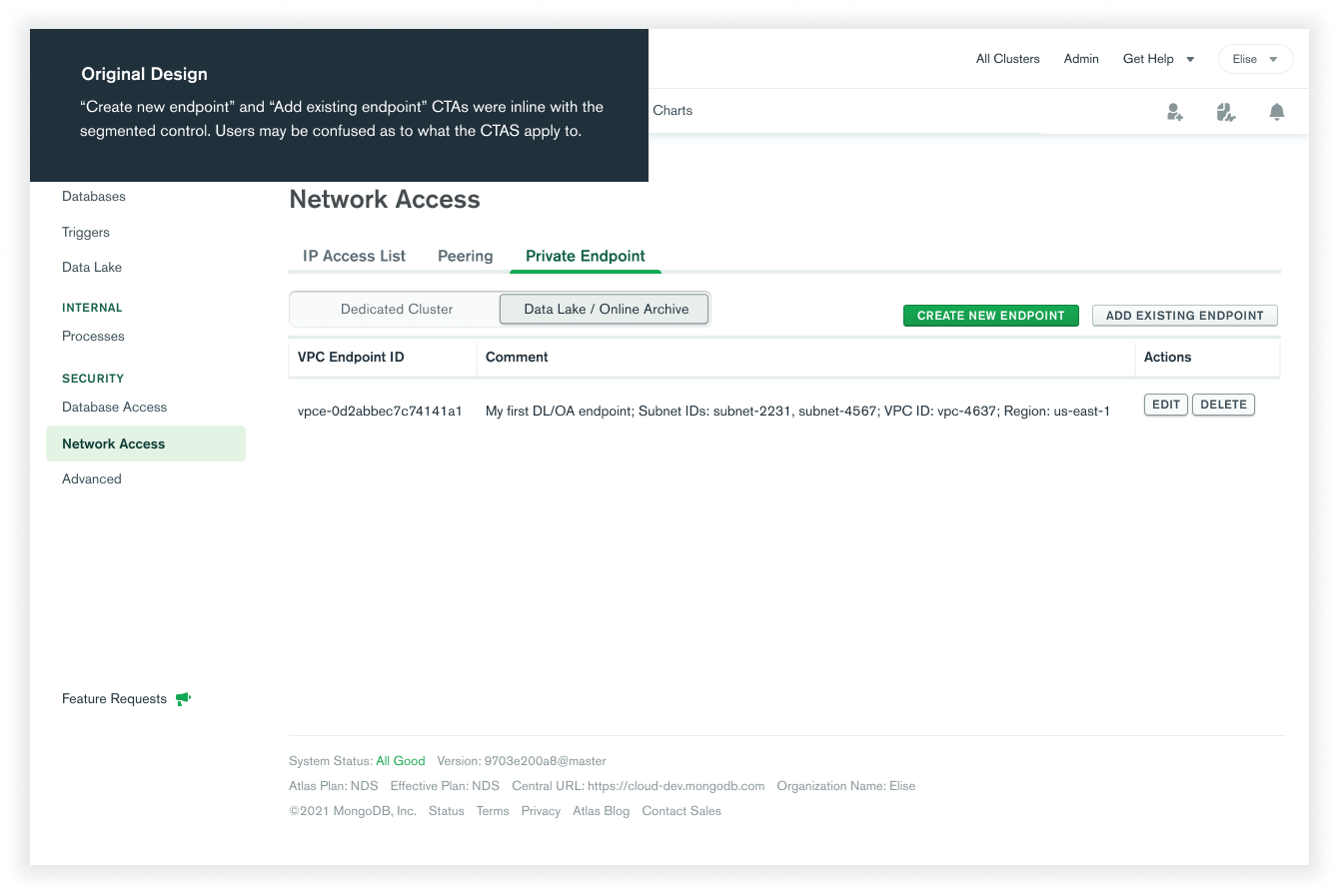
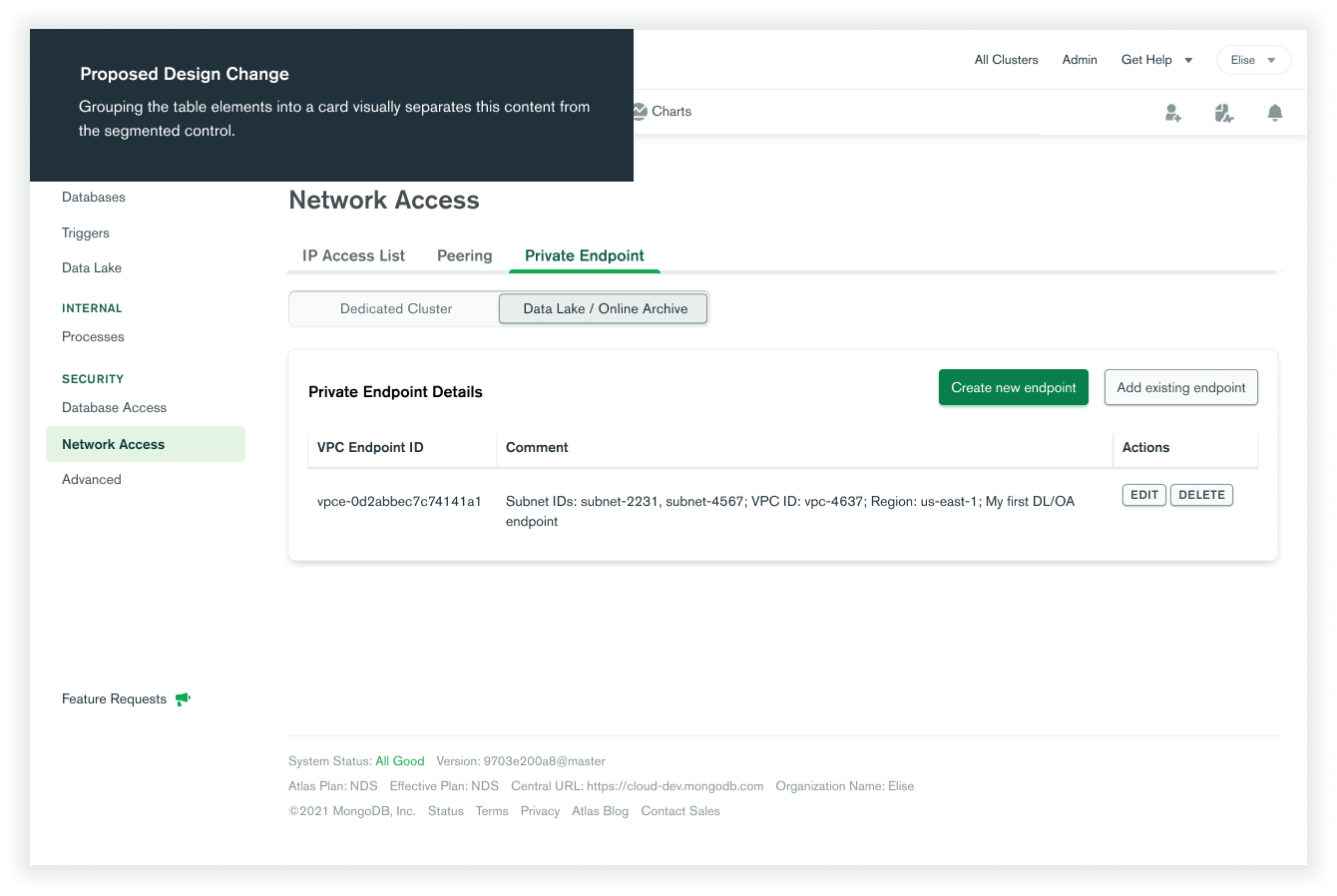
- Improving table layout
- Using a banner to encourage users to connect

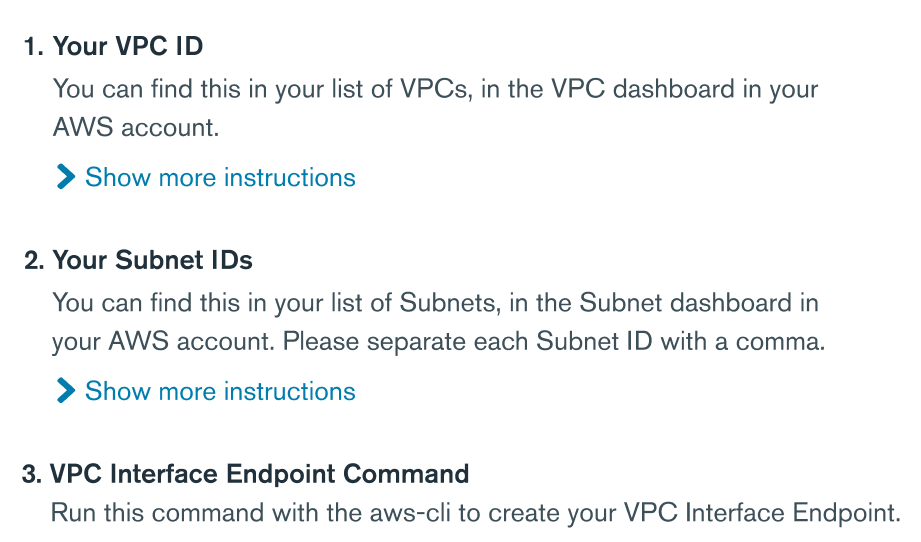
- Numbering when there are more than 3 steps
Validating these design updates.
After some major design changes, I needed to run these by our users again. The new changes tested well with users and none of them had any trouble creating and connecting using an endpoint. My designs were good to go.
A step-by-step process that allows users to connect to MongoDB products effortlessly.
With engineers, designers, and users keyed in through every step of the process (from ideation to the final iterations), this Private Link feature was able to be launched.
What I learned.
Managing changing requirements
With such a technical project, much of my designs depended on engineering requirements which changed a lot while I was working on this project. Managing these requirements meant constant Slack communication and frequent engineering checkpoints.
Design unites people
Throughout my project I heavily collaborated with copywriters, engineers, fellow designers, marketers, and product managers. It was so awesome to see how design could create a vision, a blueprint, upon which an idea for a feature can become reality.
Asking the right questions
In this project, there were many decisions to make: from how many steps should be in the endpoint creation wizard to whether a description should be added to product options. My mentor stressed that I take ownership of my design, prompting me to talk through the pros and cons of each design variant. This helped me improve my design thinking skills and forced me to asking the right questions.