Shop Goodreads on Amazon
Overview
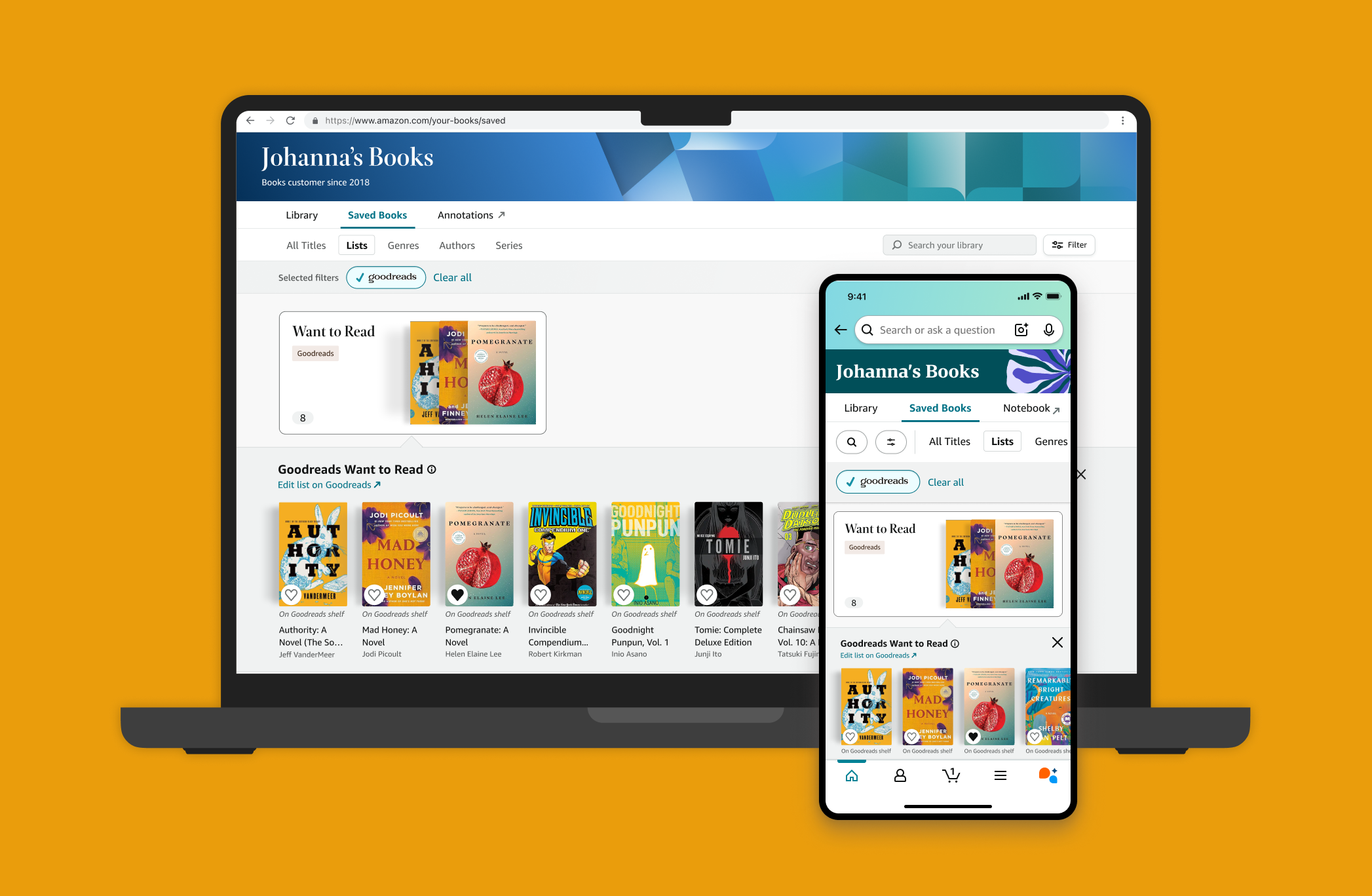
I designed a highly-requested feature that brings users' Goodreads Want to Read (WTR) shelf into Amazon Your Books, letting them browse, filter, and shop their WTR titles all in one place.
Role
Primary UX designer
Timeline
4 months; Launched
Team
Kindle and Goodreads product and engineering teams
A disconnected shopping experience.
Readers use Goodreads to track books they want to read, but this information isn't easily accessible when they shop on Amazon. As a result, users struggle to find, compare, and purchase books already saved to their Want to Read shelf. With 41.7M linked Goodreads and Amazon customers, we saw an opportunity to further integrate Goodreads into Amazon for a more seamless and personalized shopping experience.
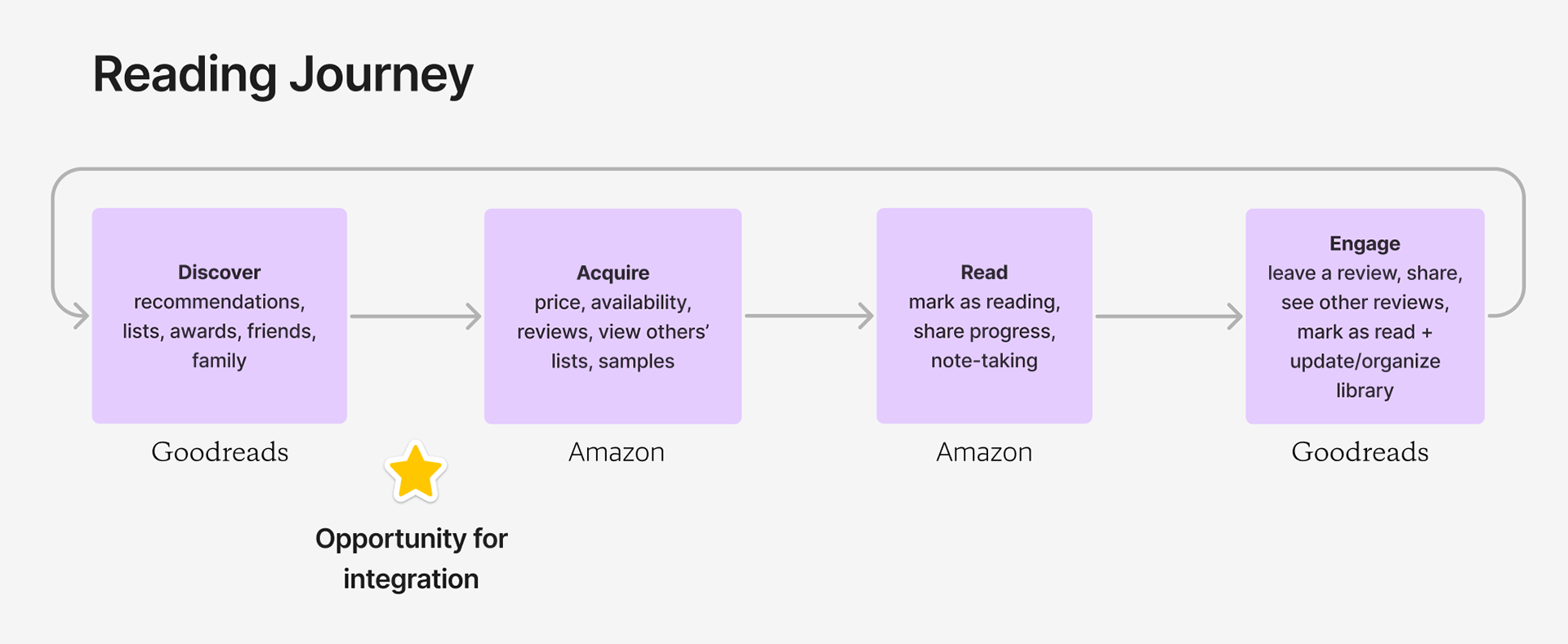
How might we reduce friction between tracking books on Goodreads and purchasing them on Amazon?
Introducing a new integration.
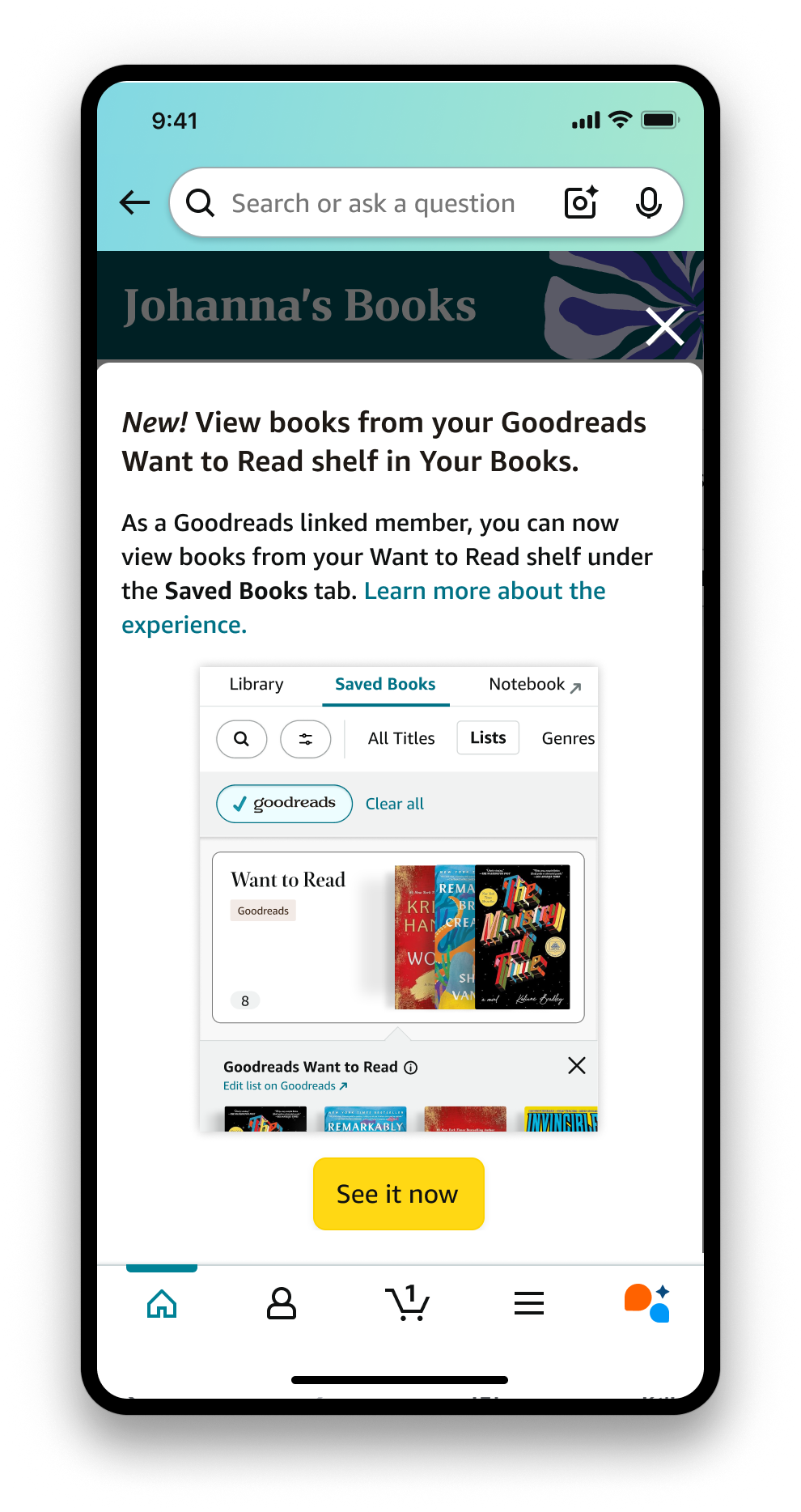
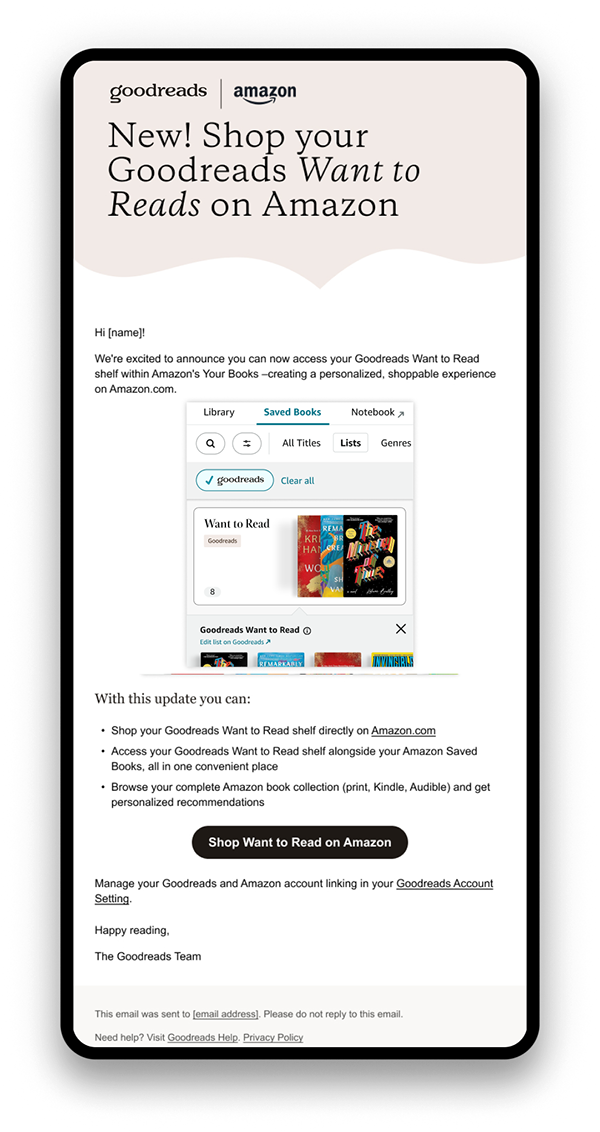
Members who have linked their Amazon and Goodreads accounts can now see books from their Want to Read shelf in Amazon Your books. A new modal within Your Books and email to Goodreads members introduces this integration, guiding them to the new experience with the tap of a button.
See all your lists in one place.
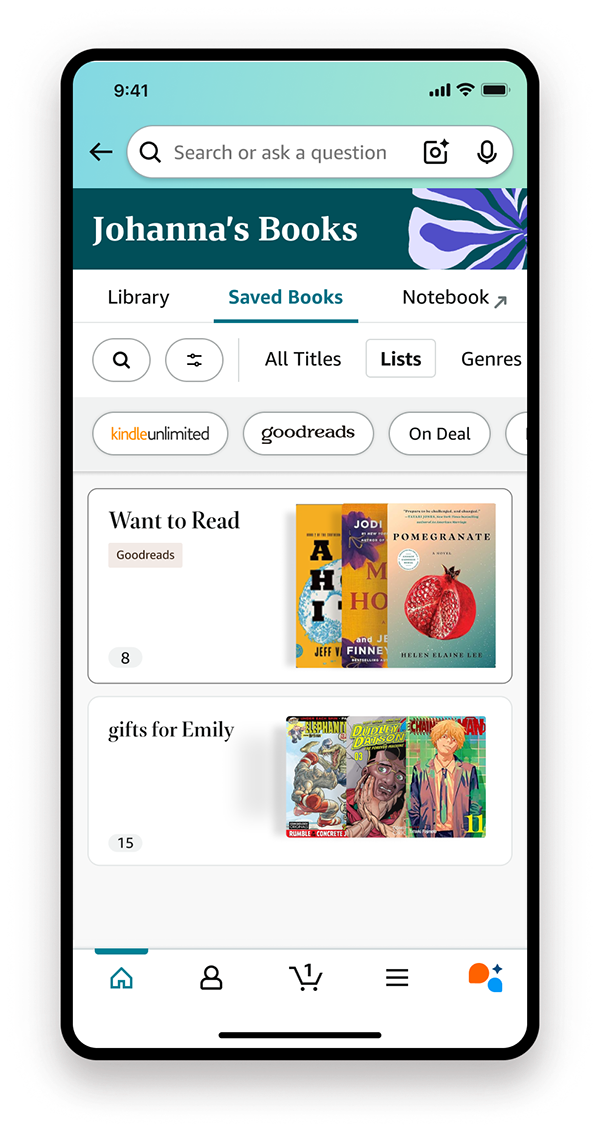
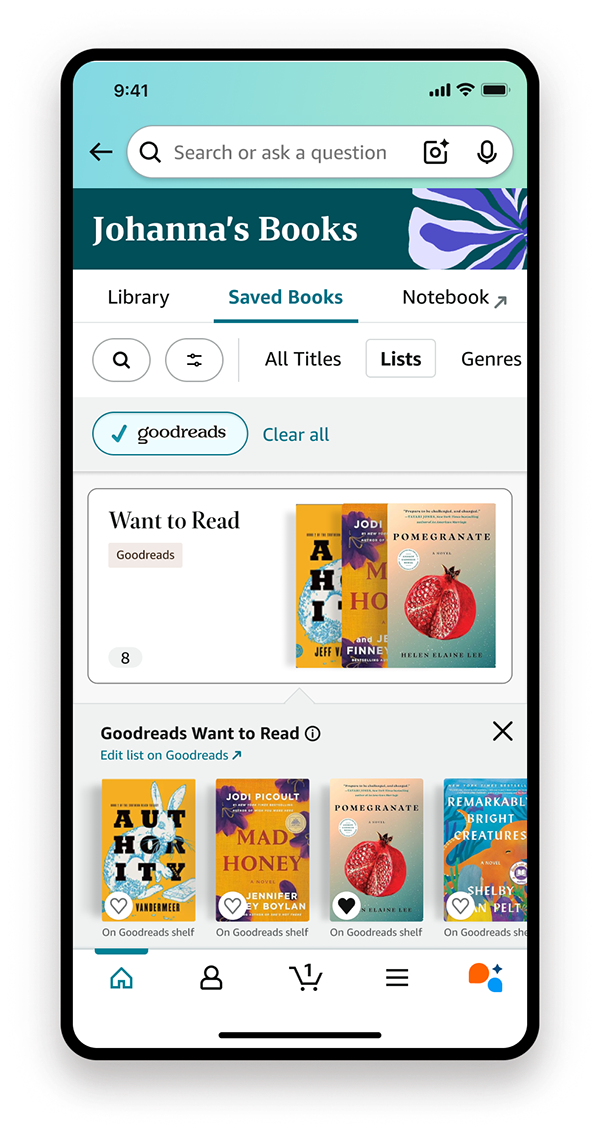
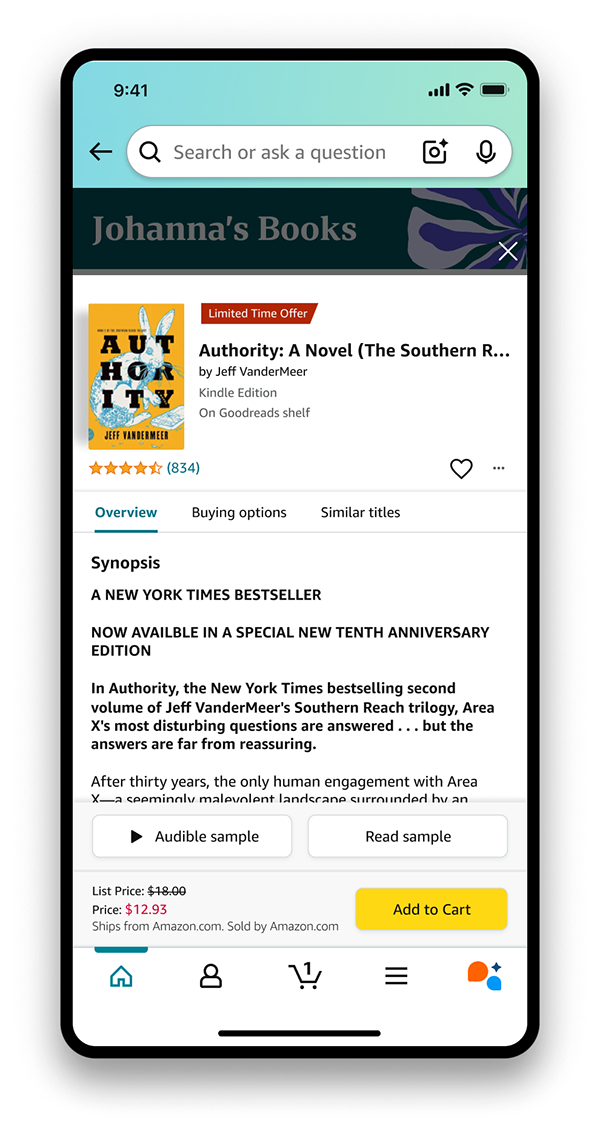
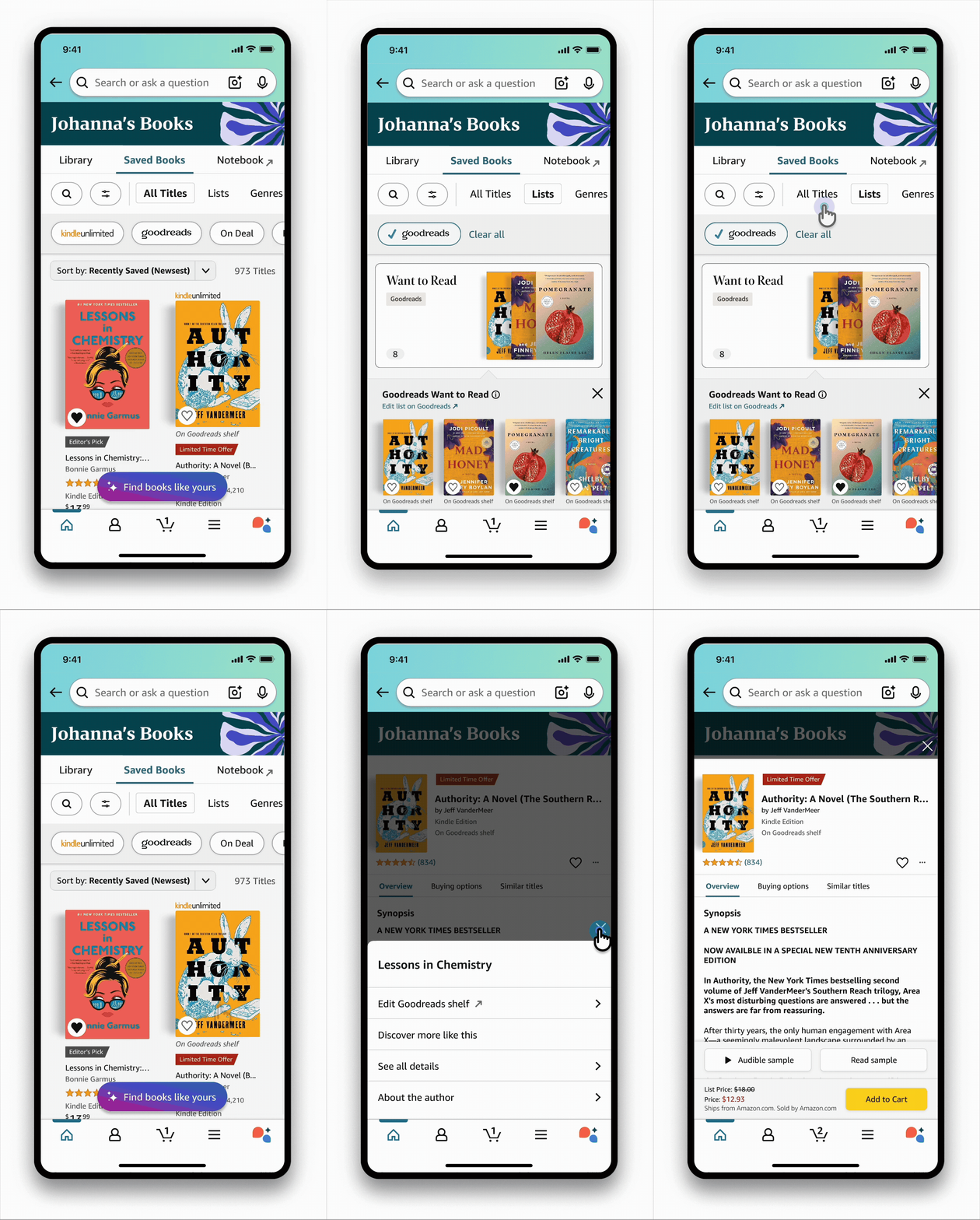
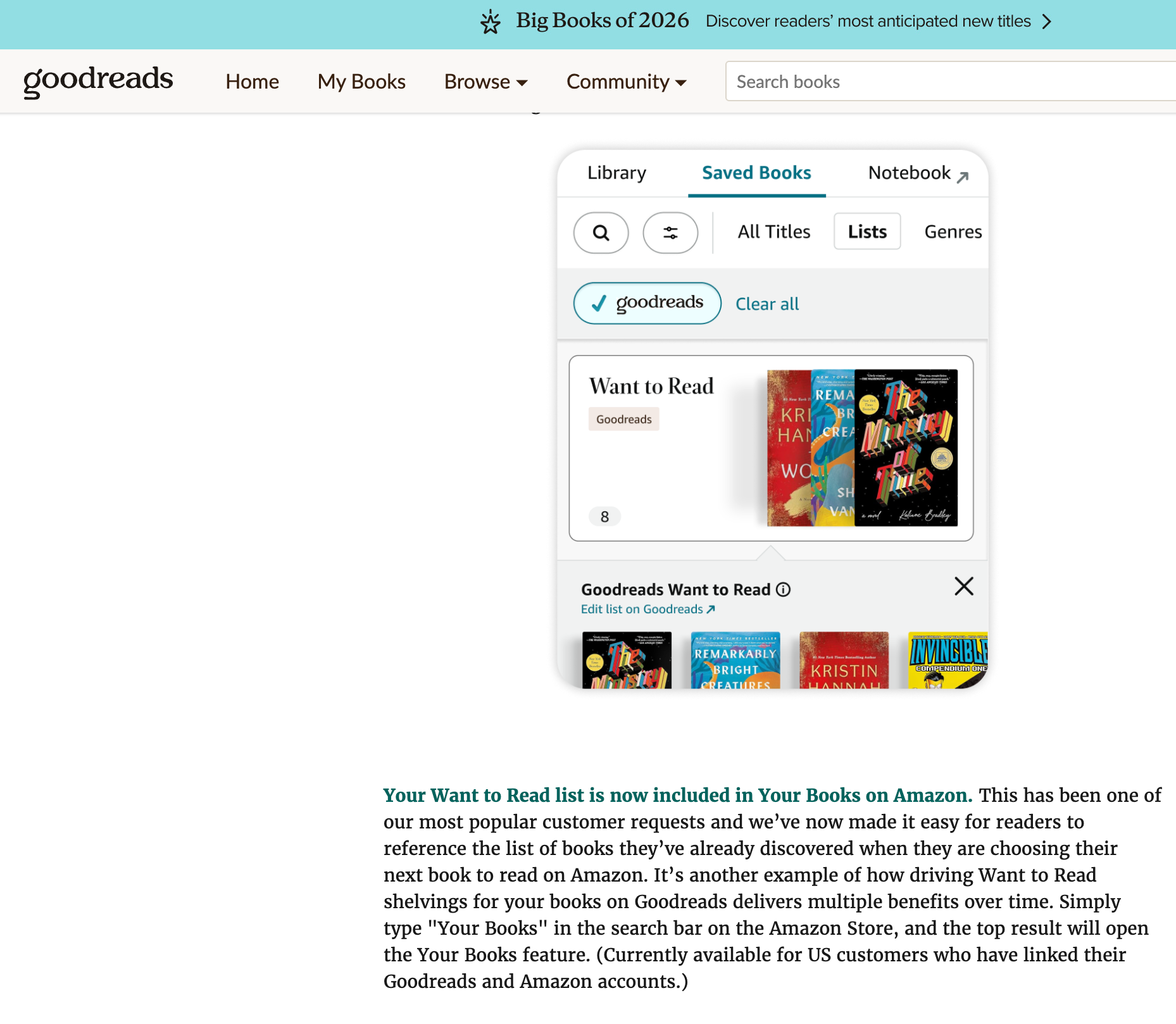
In the Lists tab, users can now view their Goodreads Want to Read shelf alongside Amazon wishlists for consolidated tracking and shopping. A new Goodreads filter and branded badge help users easily identify and navigate Goodreads lists, creating a unified experience whether books were saved from friend recommendations on Goodreads or added to shopping lists on Amazon.
Shop all your books at once.
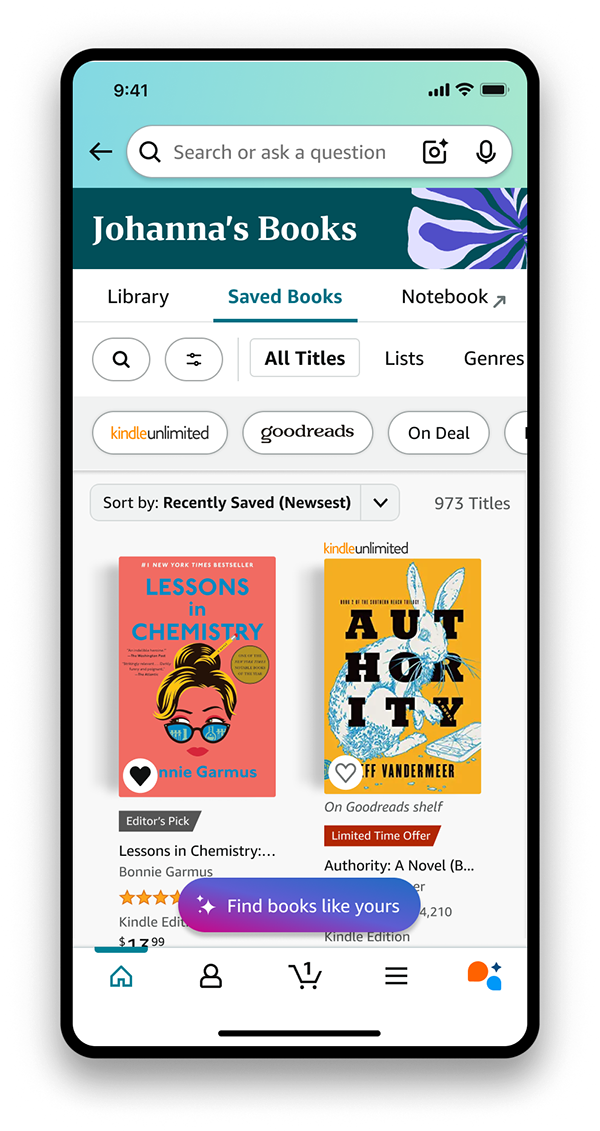
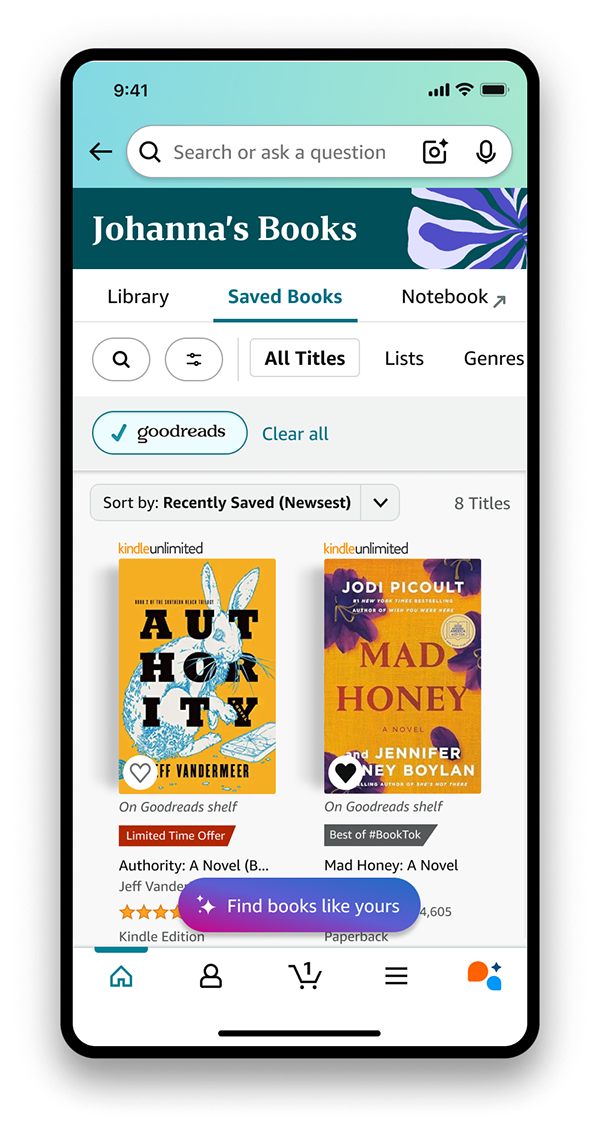
In the All Titles tab, users can browse their complete book collection from both Amazon and Goodreads in one unified view. Books from Goodreads are clearly labeled, and users can apply filters to discover deals or view personalized recommendations based on their entire collection. When ready to purchase, users simply tap the book and add to cart—eliminating the need to switch between apps.
Your books. Your choice.
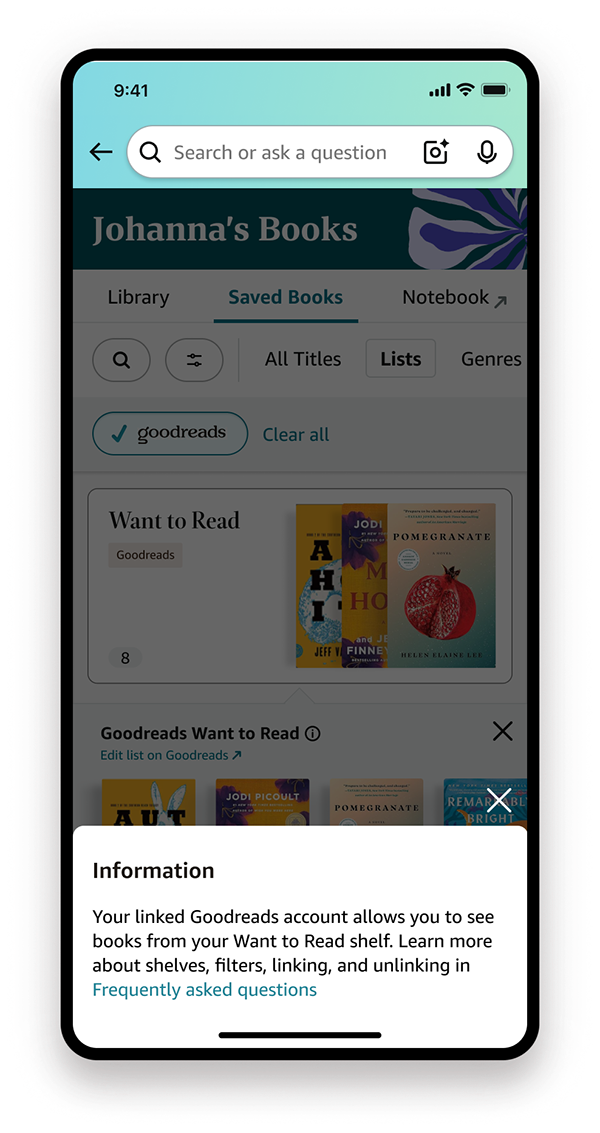
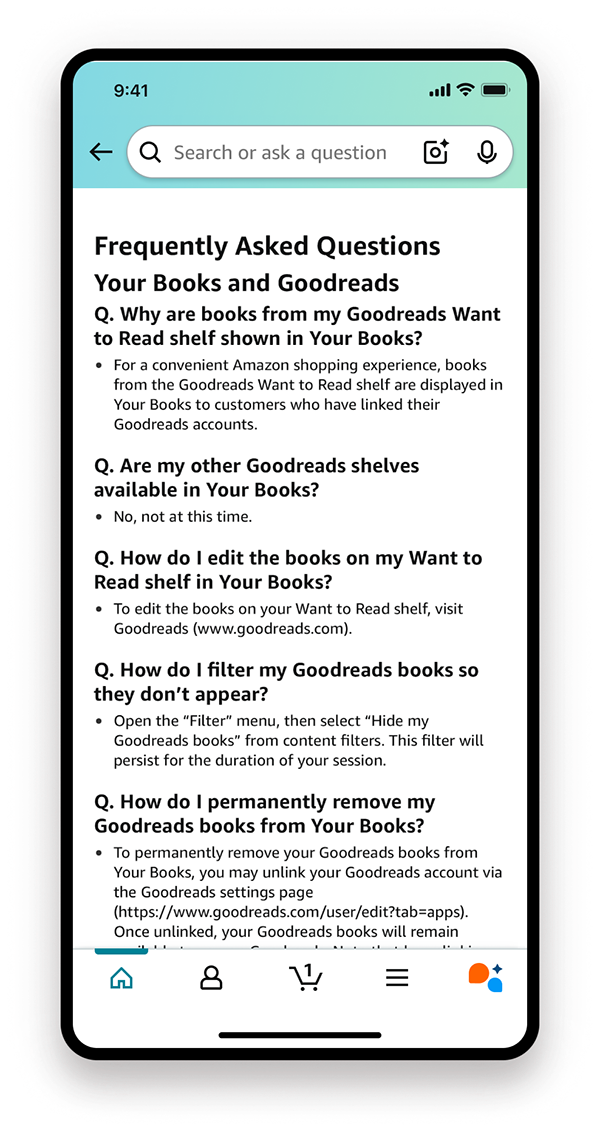
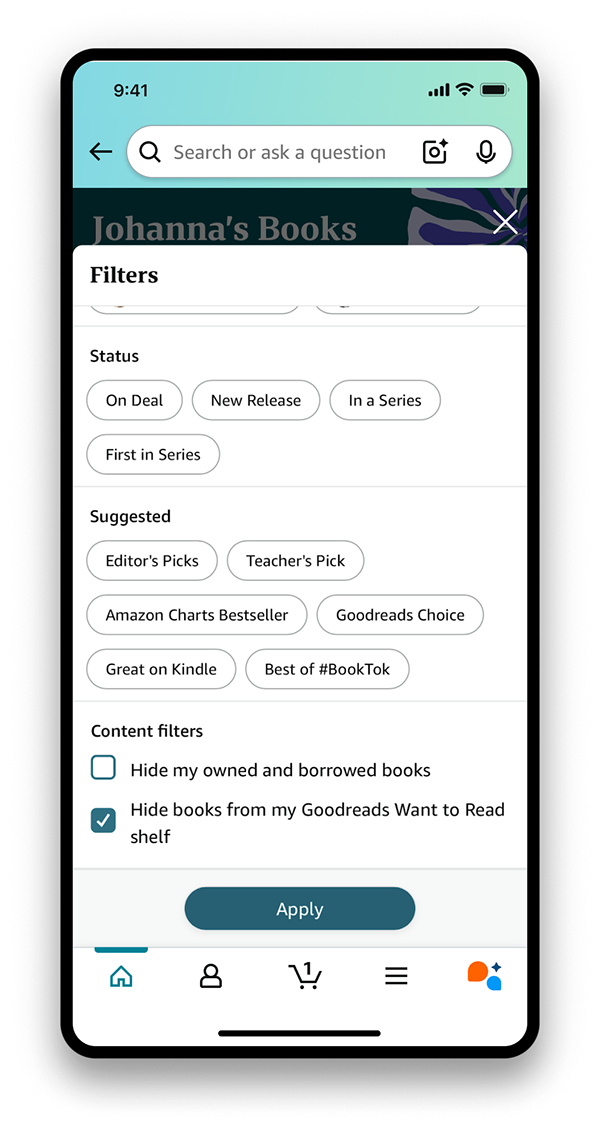
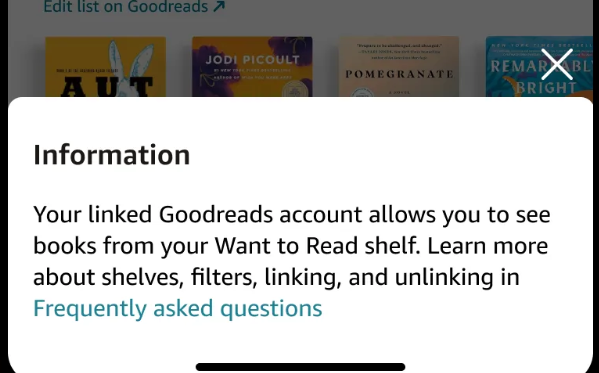
While linked members automatically see this integration, users have full control to learn more about the feature, hide Goodreads books from their view, or unlink accounts entirely.
A seamless, personalized shopping experience.
By integrating Goodreads shelves with Amazon lists, users can view, manage, and shop all their books in one place—eliminating the need to switch between apps or manually search for titles they've saved.
Impact.
Post-launch, we observed strong early engagement, with WTR shelved books having 86% higher engagement compared to Wishlist books. We also garnered many positive customer anecdotes:
"I'm really excited to see my Goodreads Want to Read shelf available in My Books! This has been something I've wanted for years."
"I love that my GoodReads is here now so I don't have to go back and forth to remember what I put on my TBR list when I'm shopping for my next audiobook!"
"Thrilled to be able to shop my Goodreads Want to Read list on amazon easily and grab any books that come up on deals without having to type or save every book from Goodreads in to Amazon Wish Lists as well!"
"No longer having to track my want to buy book list in both Amazon and goodreads (and remember to update both separately)"
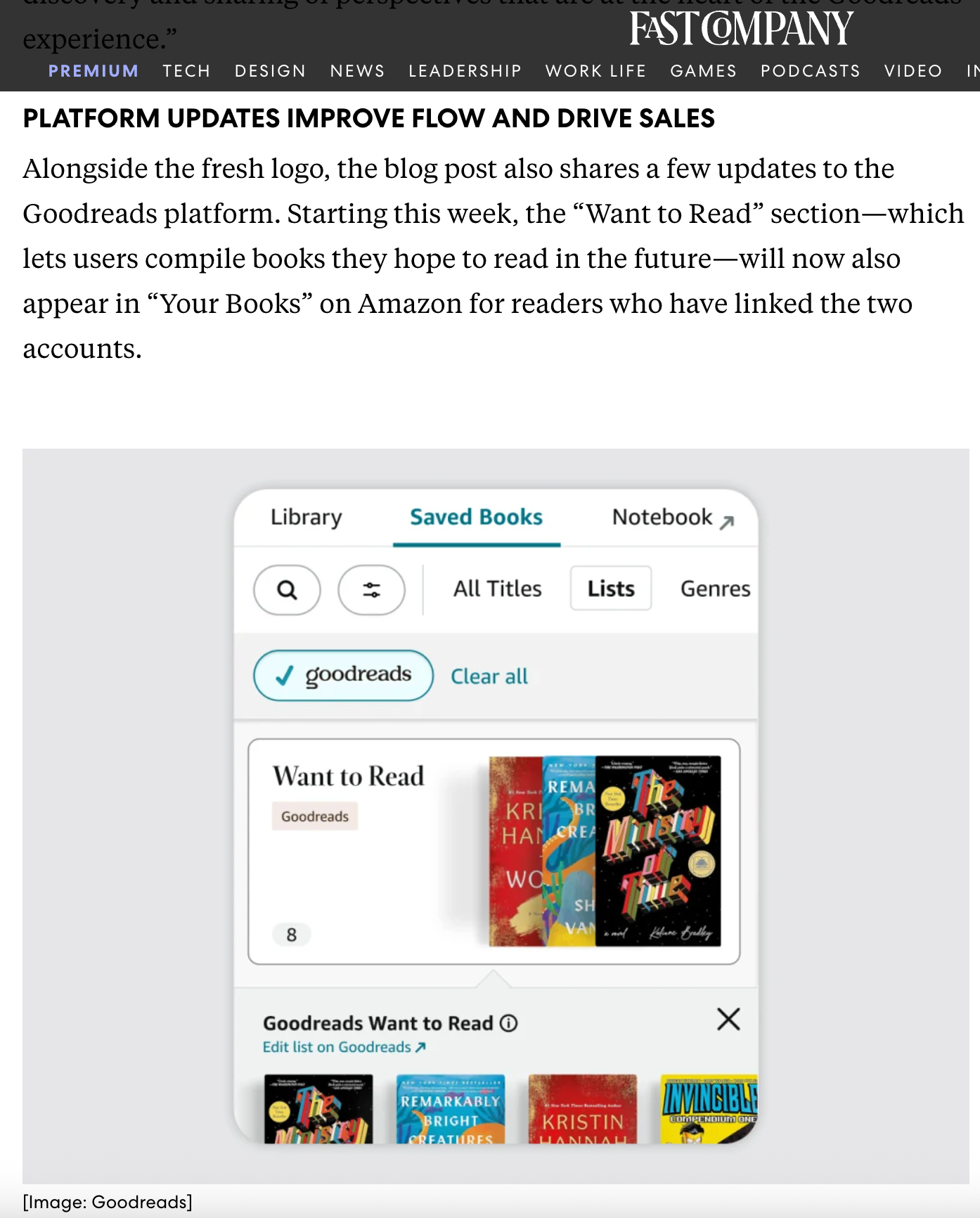
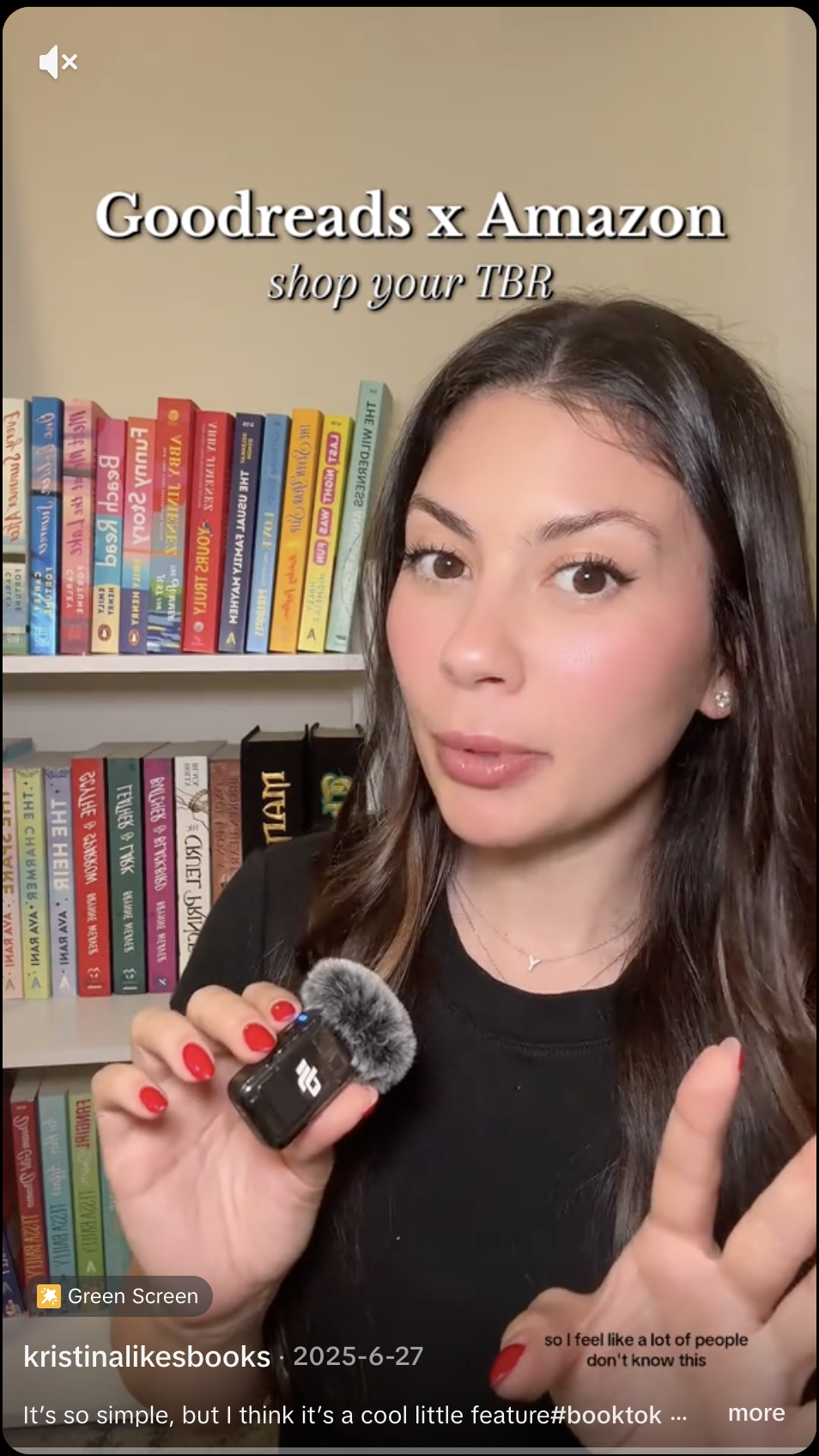
Press:
The opportunity.
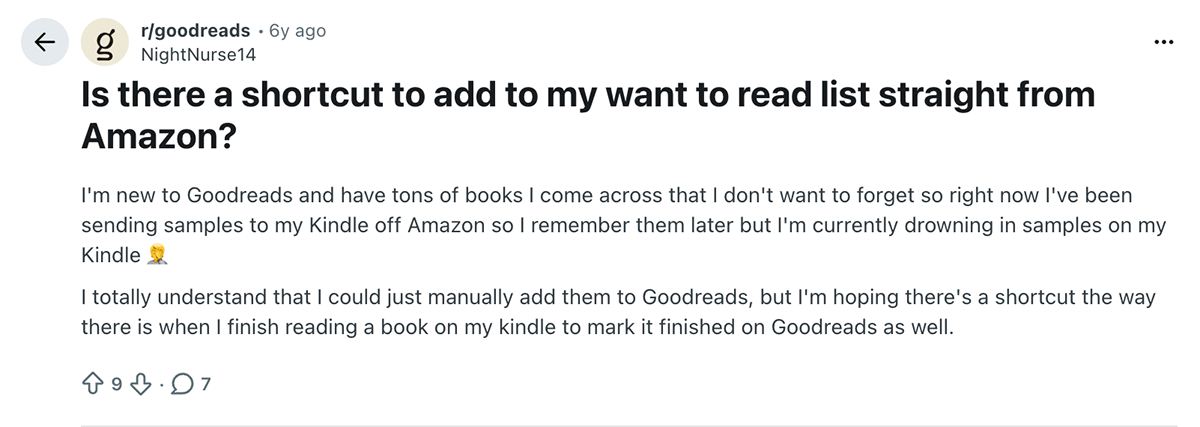
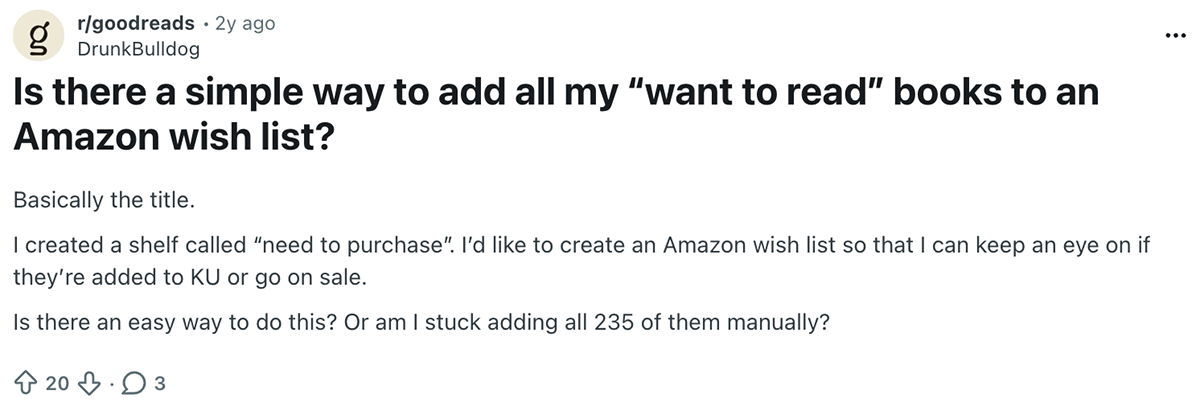
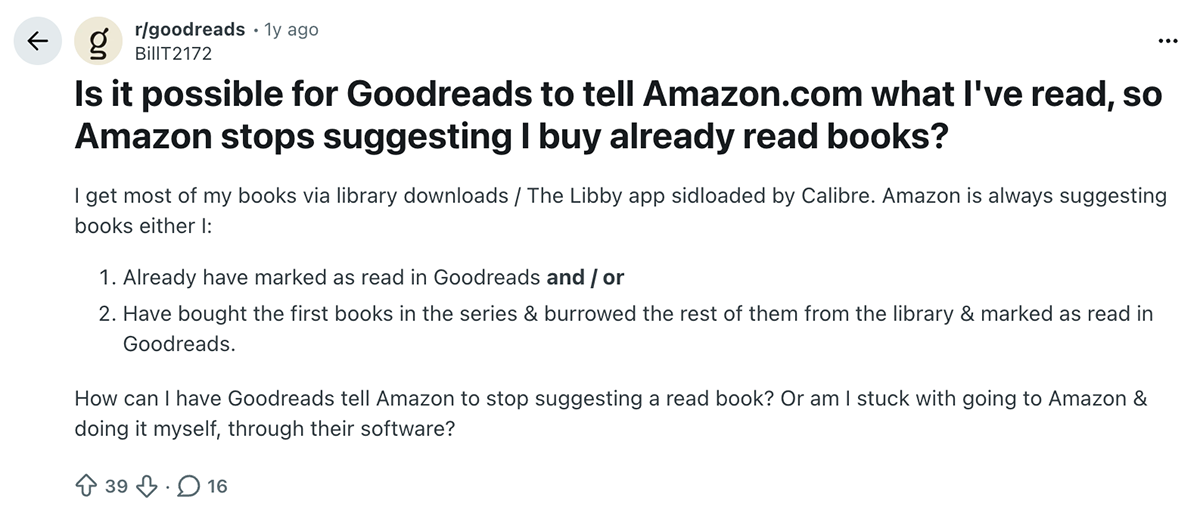
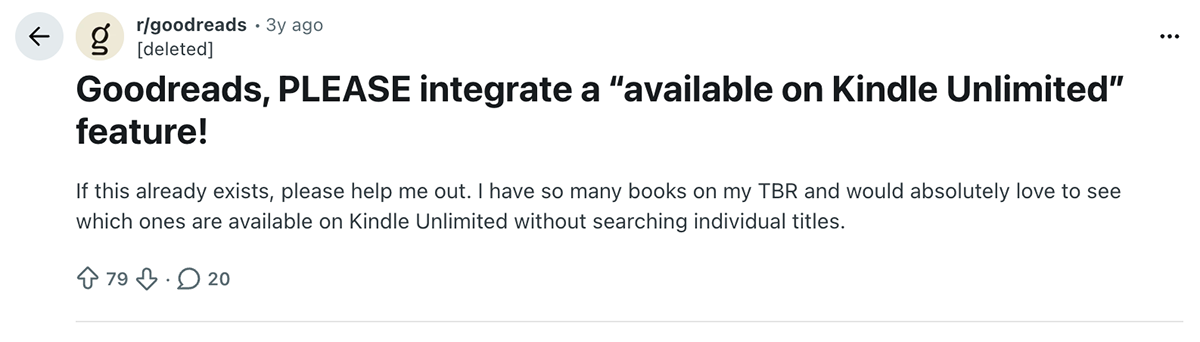
For years, users have been wanting to bridge the gap between tracking and shopping books. From wanting to add Goodreads Want to Read books to Amazon wishlists to seeing which ones are read or part of a subscription service, it's clear there's an opportunity to make shopping books you want to read easier.
The challenge.
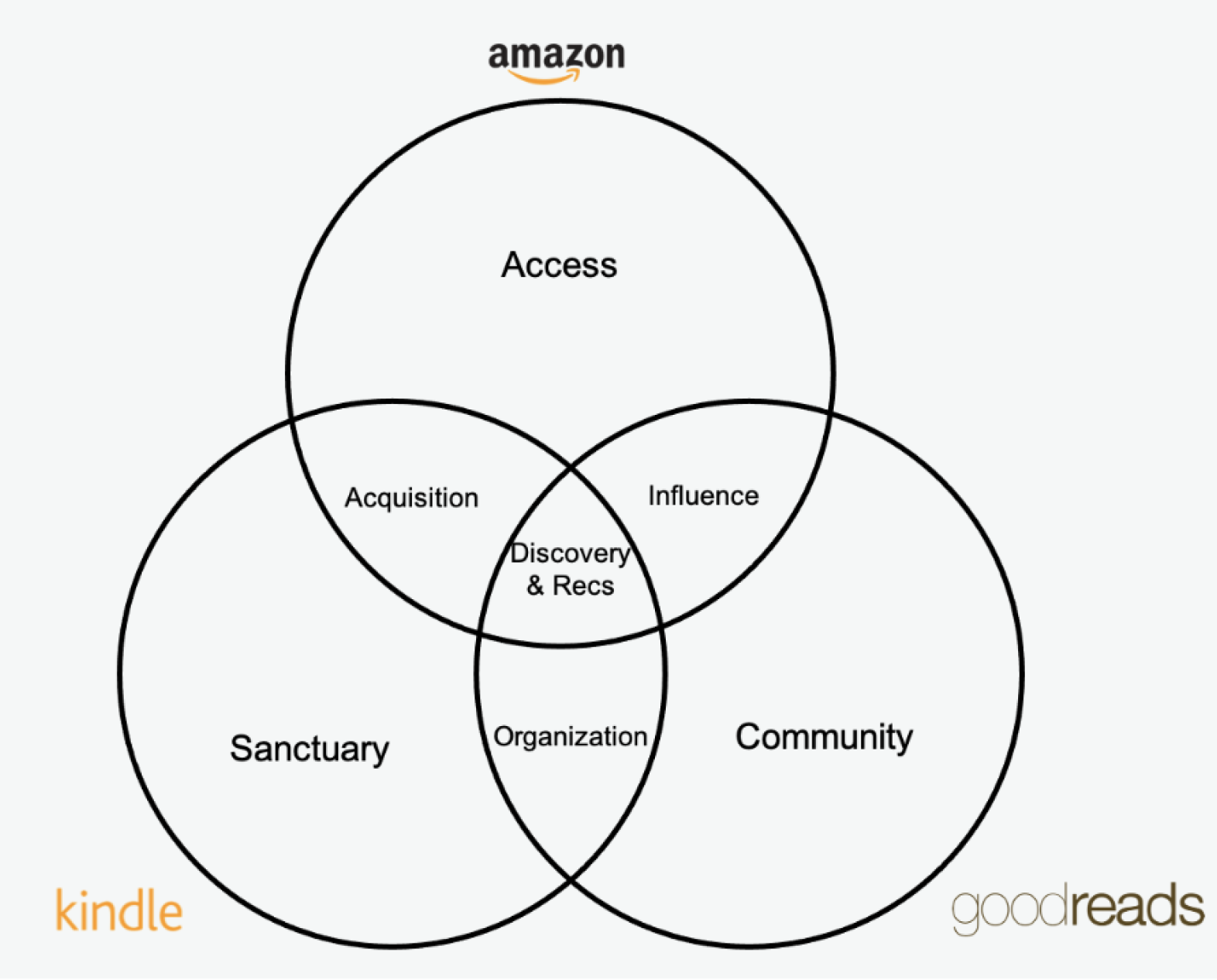
Customers who link their Goodreads and Amazon accounts face friction when moving from trusted discovery on Goodreads to purchasing on Amazon, often requiring disruptive context-switching. Data showed this separation was intentional—only one-third of linked users maintain lists on both platforms, and just one-fifth of books overlap—reflecting a clear mental divide between Goodreads as an impartial discovery space and Amazon as a transactional one. This created a central design challenge: reducing friction through integration without undermining the trust and perceived neutrality that make Goodreads valuable, especially given user concerns that closer commercial ties could compromise recommendation integrity.
Our mission.
Enrich and simplify the shopping experience, while maintaining trust.
Design do's.
The key design goals that arose from this mission:
- Convenience: Customers need a way to organize and keep track of their total reading life and find value in a single source of truth.
- Trust: Customers desire the ability to control the visibility of their books to other people on both Goodreads and Amazon.
- Transparency: When introducing Goodreads to Amazon-only customers, it's necessary to provide additional context of where and why they are seeing this content, and that it comes from a community of readers.
Design dont's.
- Friction: Context-switching between Goodreads and Amazon can cause customers frustration if they are forwarded to another website and lose where they were before. We need to find a solution that seamlessly integrates the two.
- Bias: Avoid introducing sponsored content into Goodreads recommendations—need to maintain trustworthiness of Goodreads recommendations. Any sponsored content should have a basis in personalization.
Examining the existing CX.
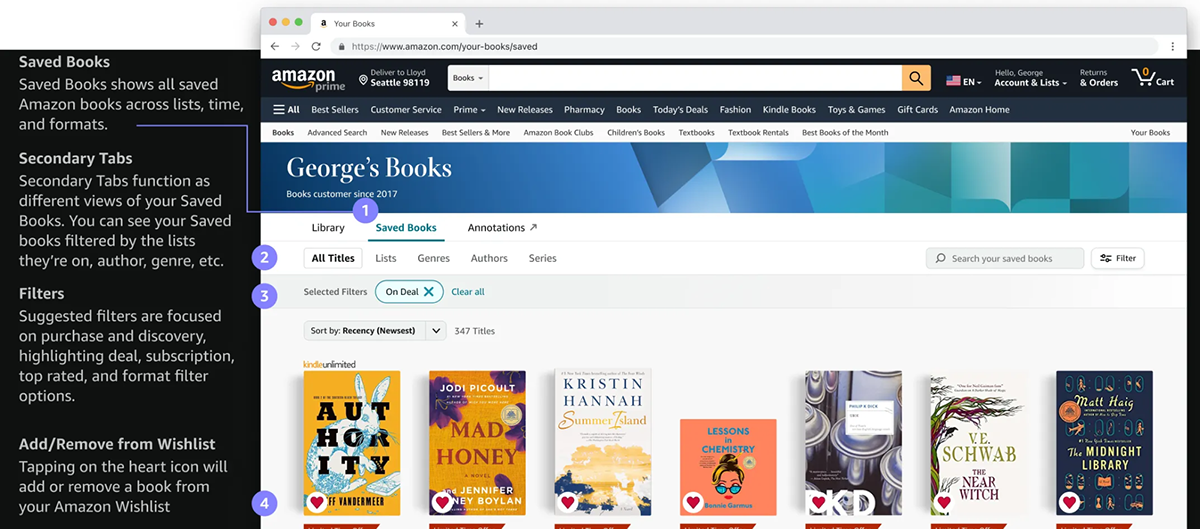
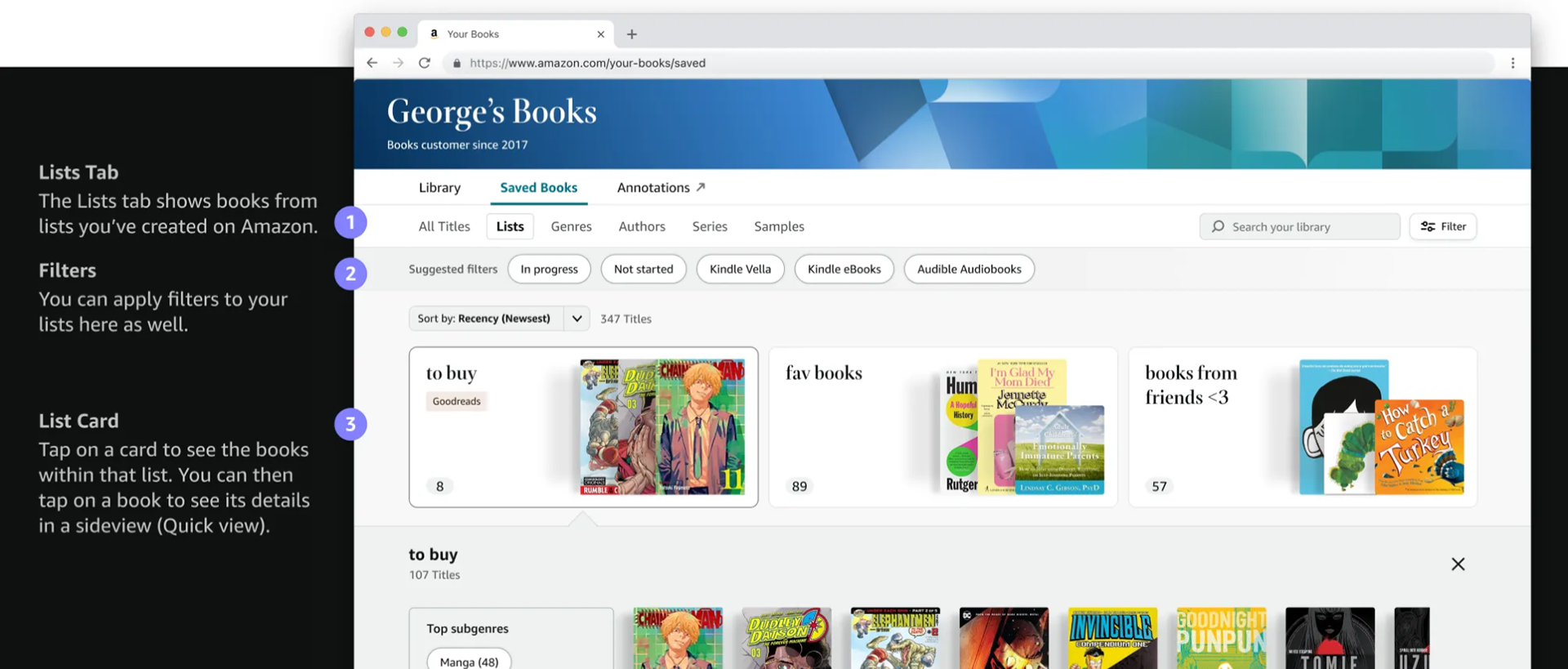
What is Amazon Your Books (YB)?
Your Books is a personalized space across surfaces where customers can explore the books they love across all formats (including purchased, borrowed, and saved) and find ownership-aware recommendations for their next book.
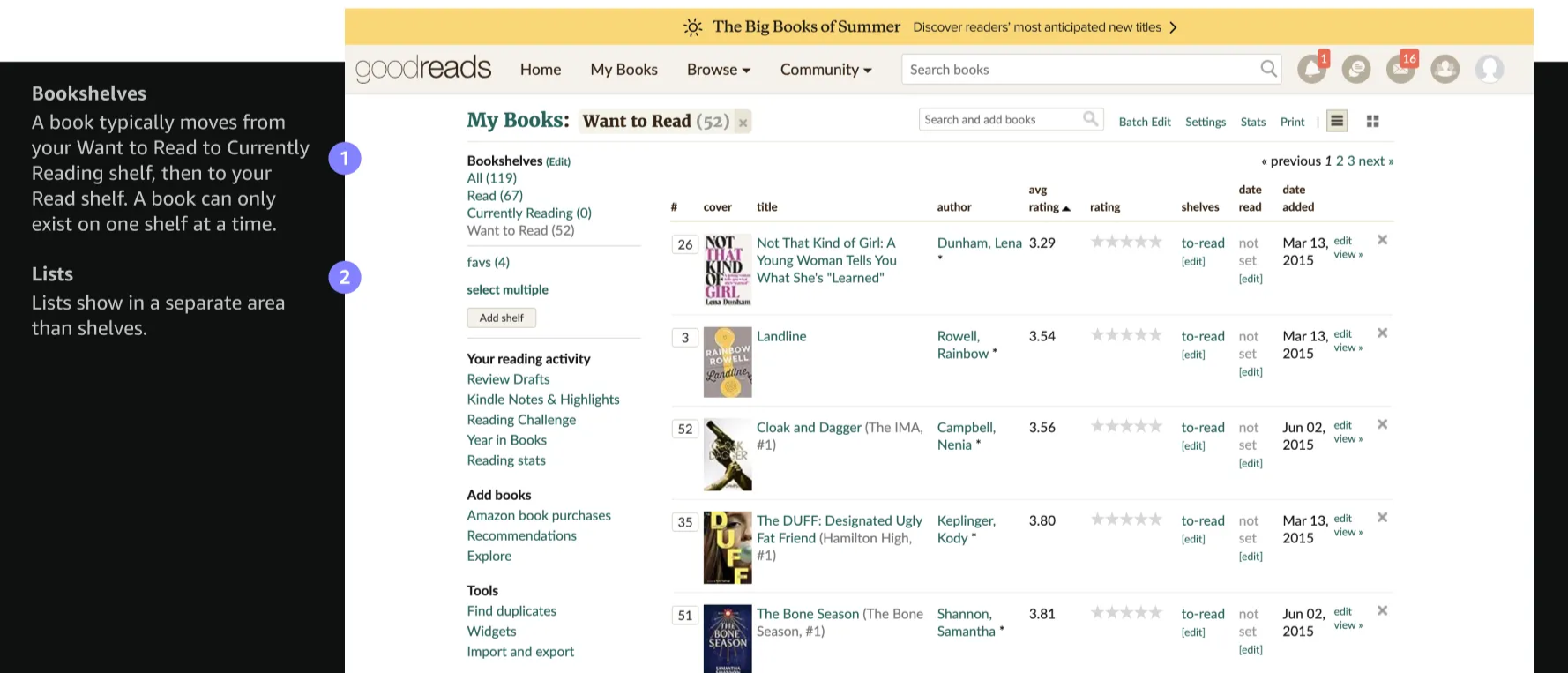
What is Goodreads Want to Read (WTR)?
Your Want to Read shelf on Goodreads is a list of books that you have marked as "Want to Read." A book typically moves from WTR to "Currently Reading" shelf then to the "Read" shelf. A book can only exist on one shelf at a time.
Design decision #1: Information architecture.
Our first hurdle when designing this integration was where does Goodreads fit into the Your Books? I came up with a few options:
- Add Goodreads WTR as a filter and card
- Add Goodreads as a secondary tab
- Add Goodreads as a primary tab
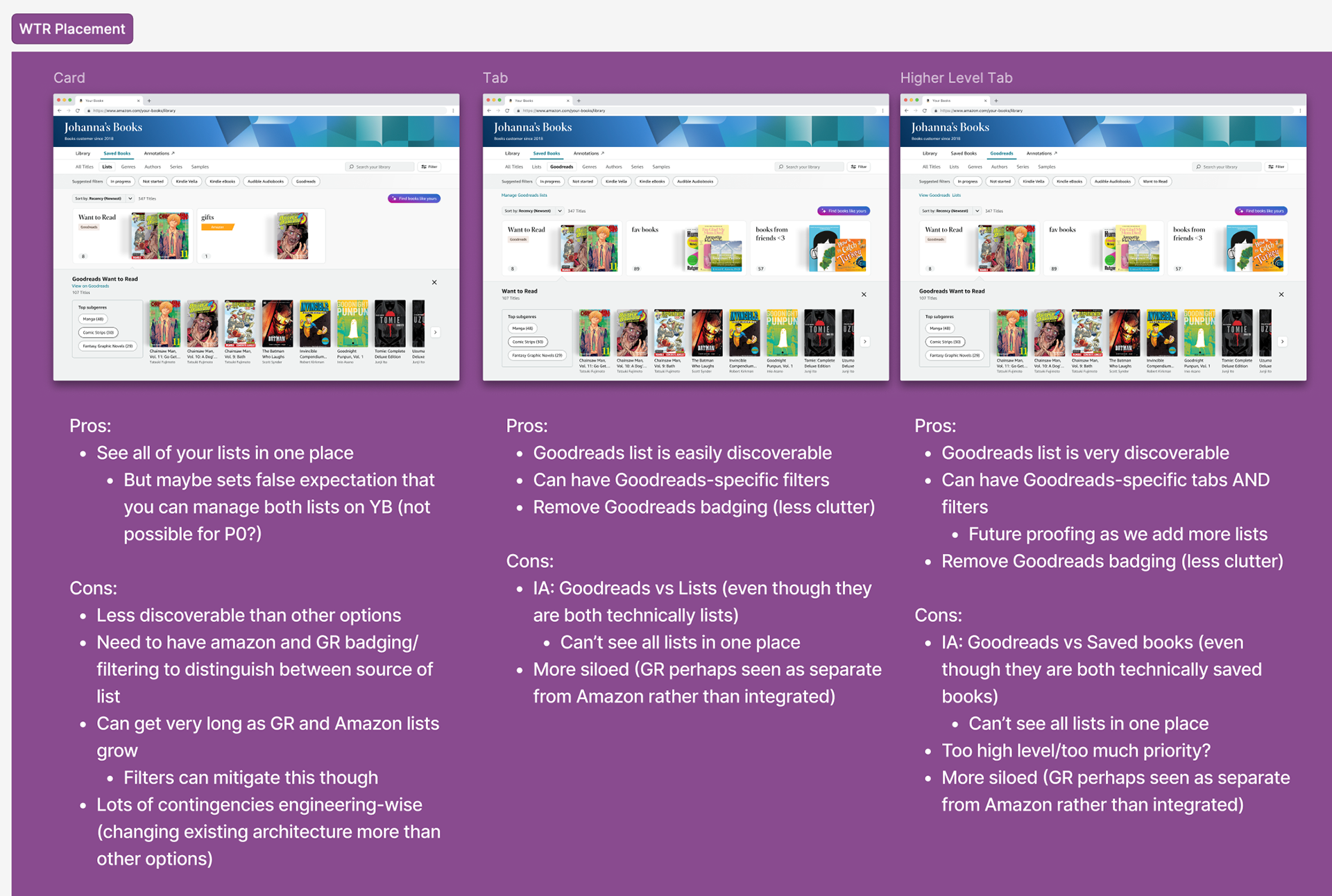
After extensive debate and design critiques with both Amazon and Goodreads design teams, we aligned on fully integrating Goodreads Want to Read into the existing Your Books experience rather than introducing a separate Goodreads tab. This approach builds on customers' current mental models, avoids fragmenting the experience, and reduces cognitive load by keeping interactions consistent across tabs. It also prevents duplicative views—since WTR filtering already exists across secondary tabs—while enabling WTR books to benefit from Your Books' advanced shopping filters and recommendations. Importantly, this structure scales to future shelf expansion without creating false expectations about full Goodreads parity. To address discoverability, we paired the integration with Goodreads badging on WTR titles, branded filters across tabs, and lightweight, dismissible education surfaces introducing the feature and promoting account linking.
Design decision #2: Badging.
Now that we've decided Goodreads books will appear alongside Amazon books, the next question was how do we differentiate an Amazon wishlist from a Goodreads shelf? I came up with several explorations:
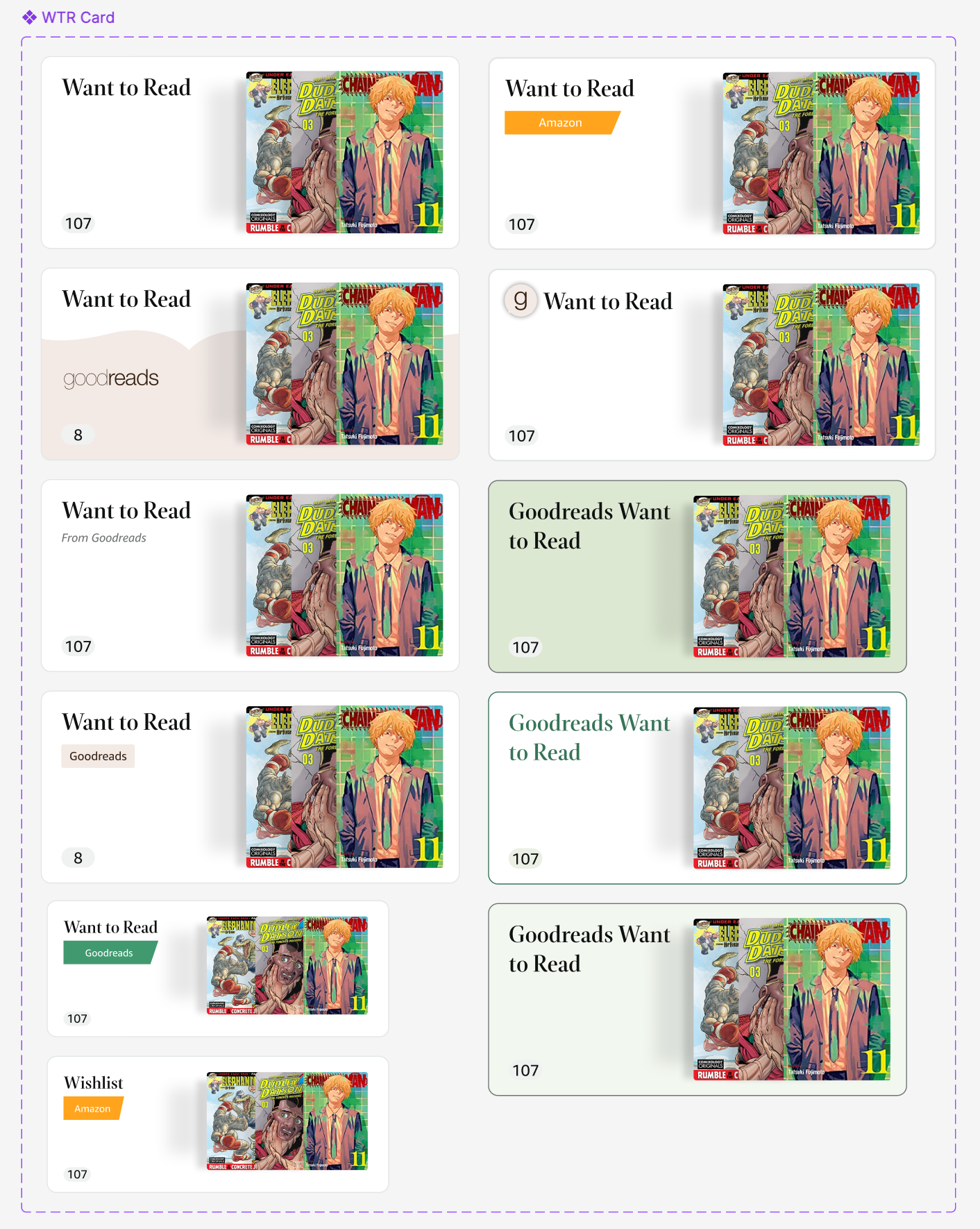
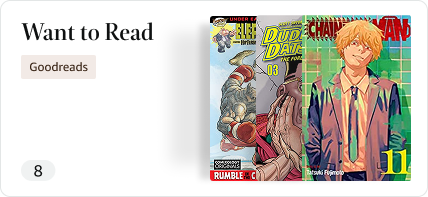
Before deciding on this one, as it struck the best balance between the existing Amazon labels, while incorporating the colors of Goodreads branding.
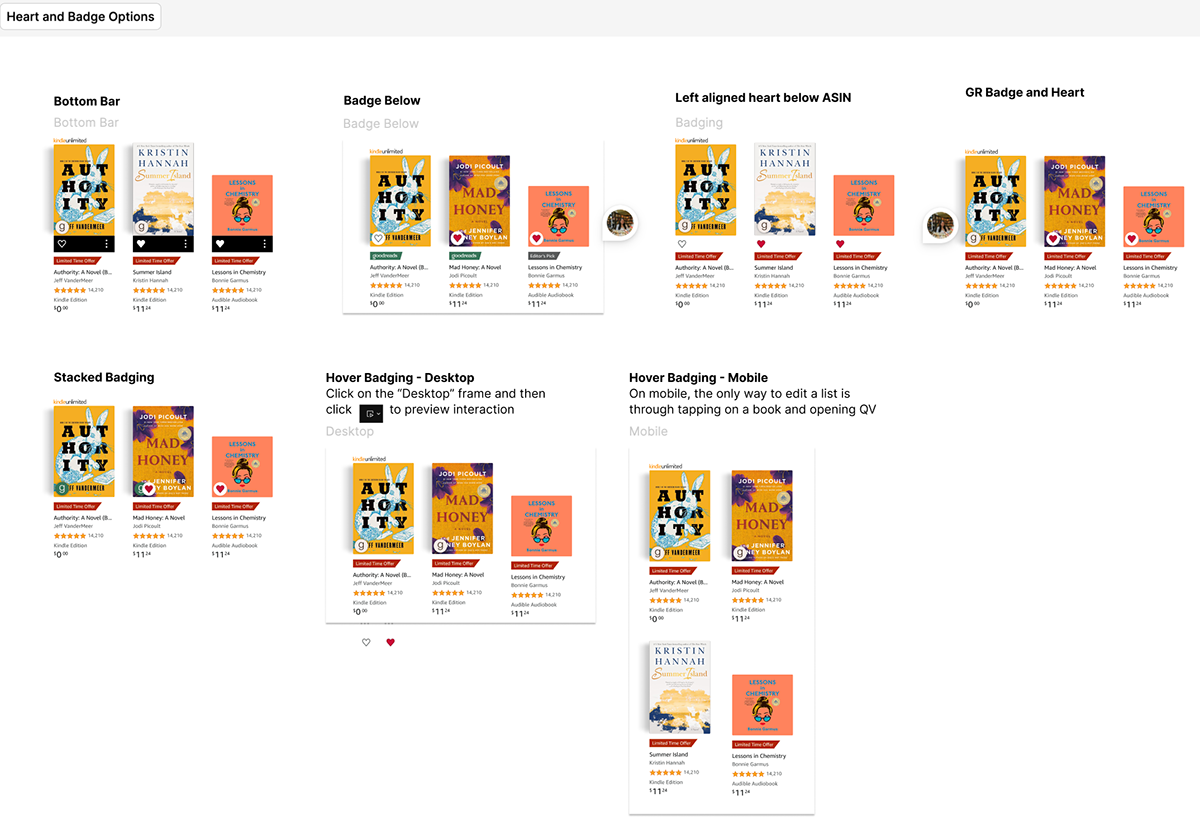
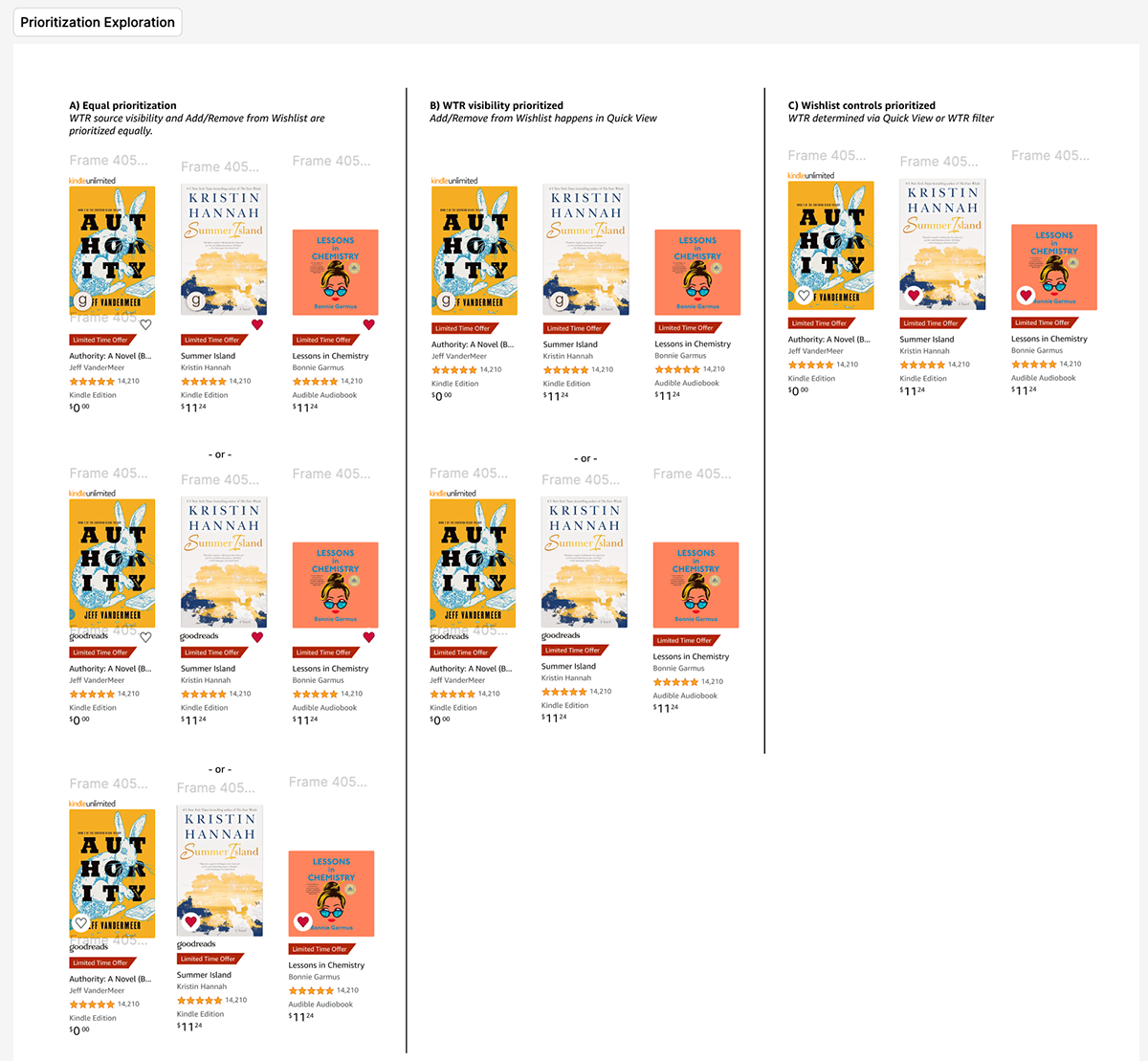
The next question became how do we differentiate whether a book was saved from Amazon or Goodreads? This proved a complicated topic, as WTR is read-only on Amazon (for now), and Amazon books have a heart that denotes whether it's been added to a wishlist or not (it's also tappable). I explored a multitude of options including adding the Goodreads logo below or on the book cover, different labels, stacked logos. Some key considerations arose:
- Goodreads badging makes it look like a Goodreads-sponsored book
- Too much badging clutters the book cover or already crowded metadata below the cover
- Prioritize wishlist control (heart) vs. source of book (Goodreads badge)
Conducting user research.
After many internal debates about which badging options were the most clear, we decided we needed some validation from actual users. I ran an unmoderated usability test with 8 users to put our thinking to the test. We showed users 3 of our top badging options:
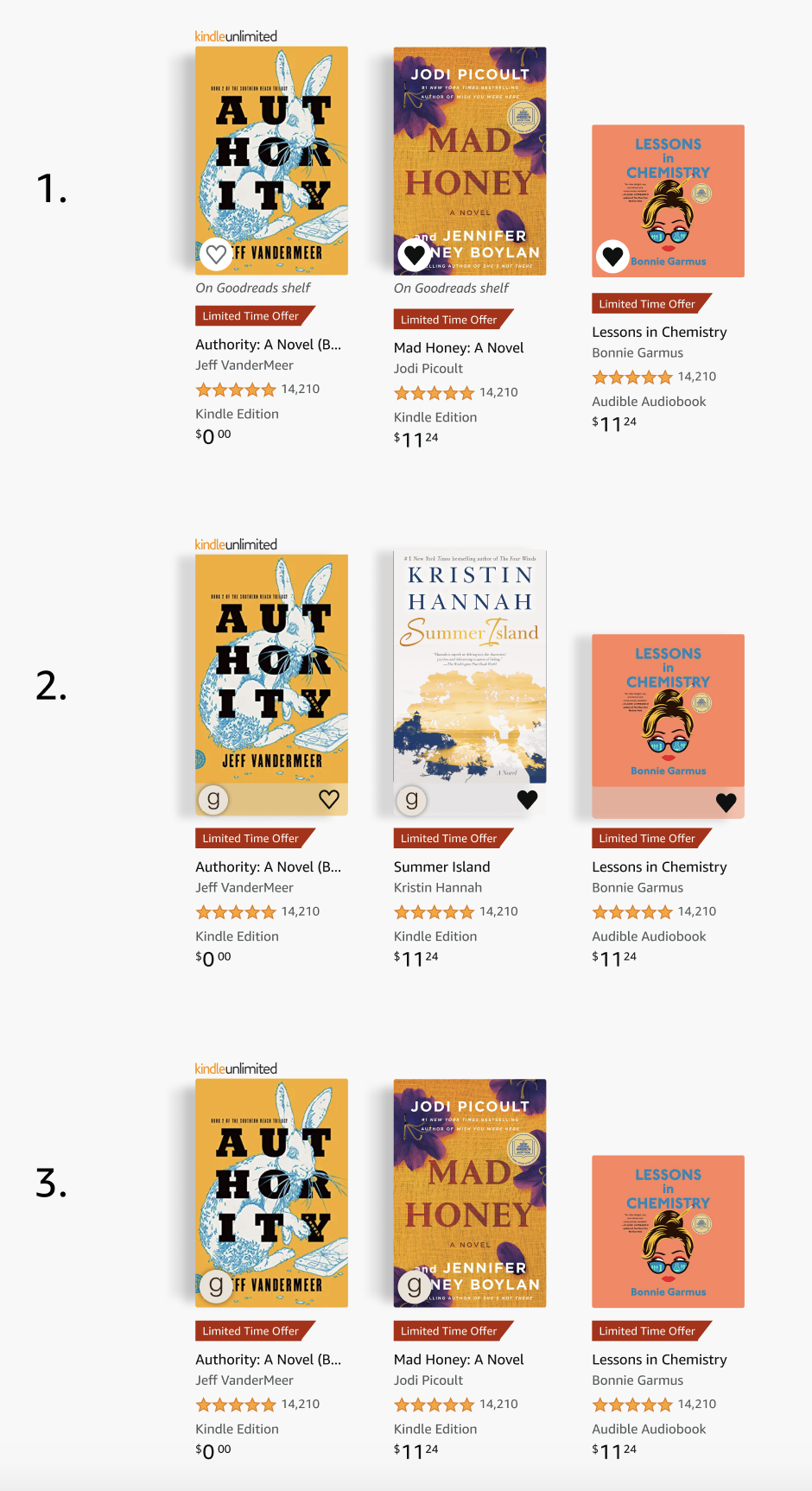
After evaluating three badging options for indicating Goodreads Want to Read status, user research showed a clear preference for the "On Goodreads shelf" label (Option 1) due to its clarity and recognizability, despite being less visually elegant and taking up more space. While logo-only approaches felt cleaner, they introduced discoverability risks—particularly for non-Goodreads users—and reduced confidence in understanding a book's status. Given the feature's newness and the goal of launching quickly, we chose the least-change, most explicit solution to prioritize comprehension over visual minimalism. As the integration matures and Goodreads shelves expand to read/write, a more compact, symbol-based approach may be revisited to improve concision and elegance.
Maintaining trust with our users.
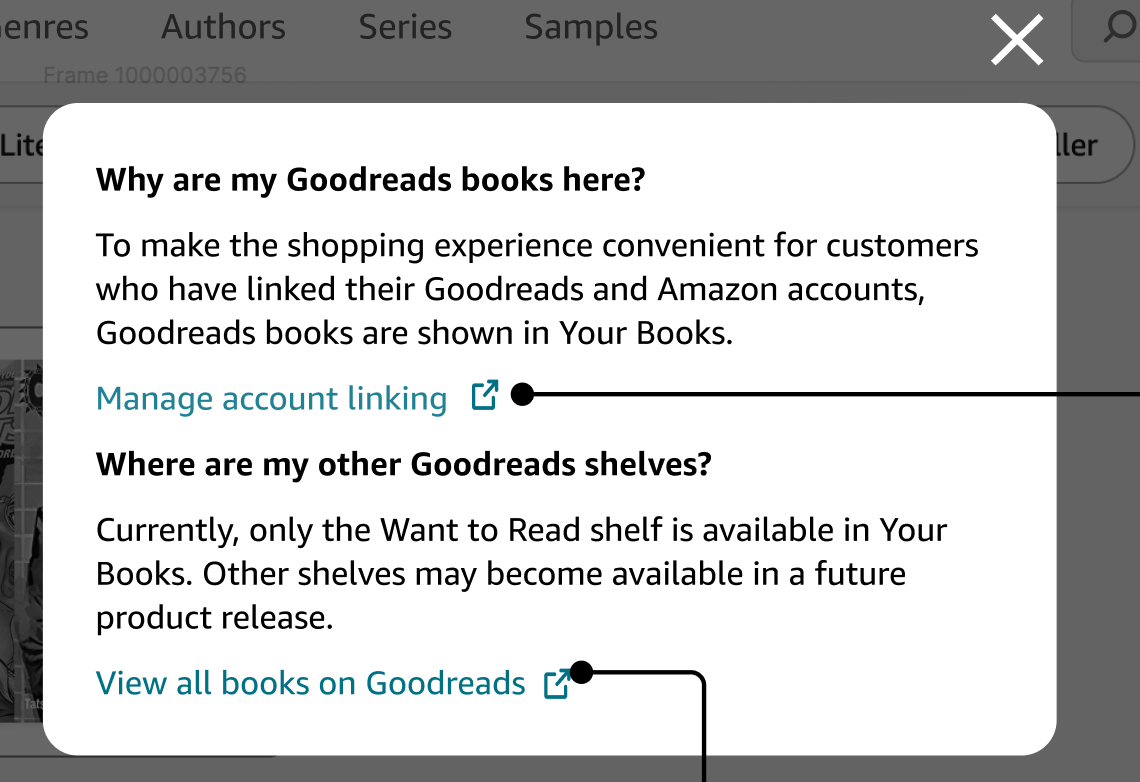
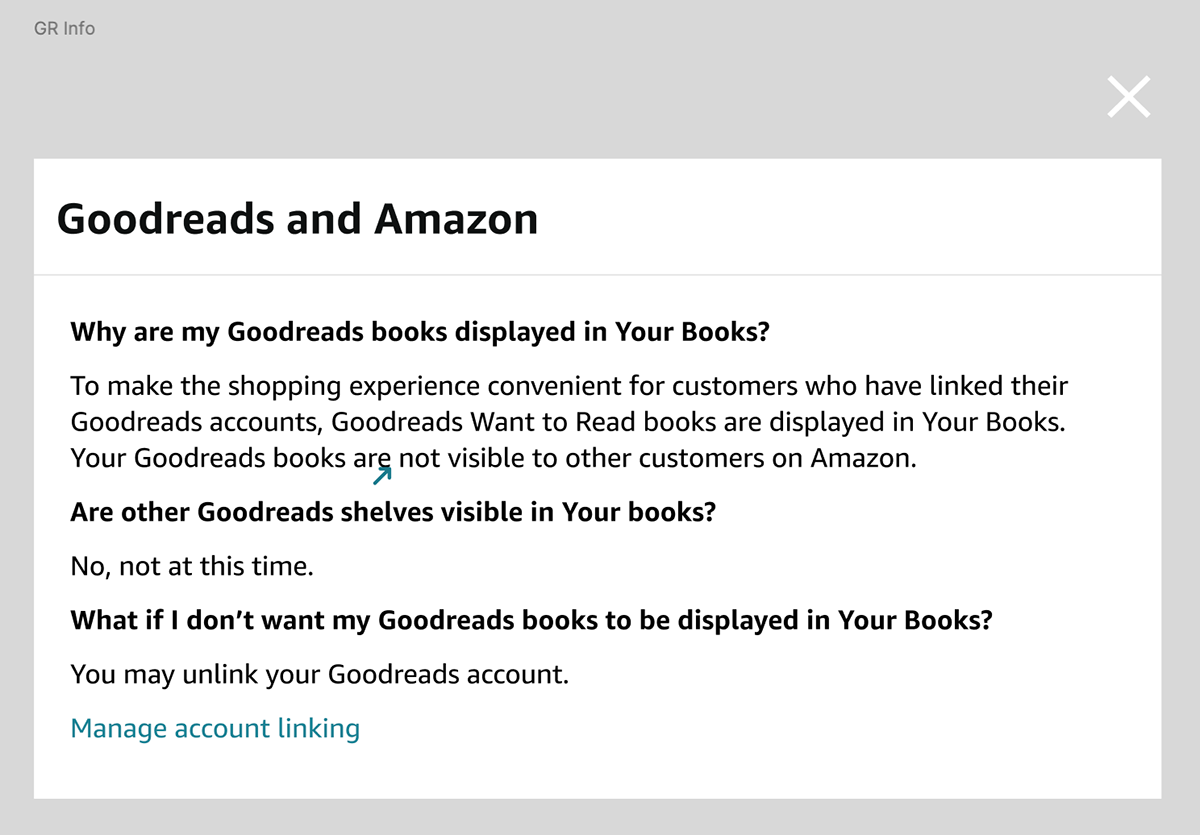
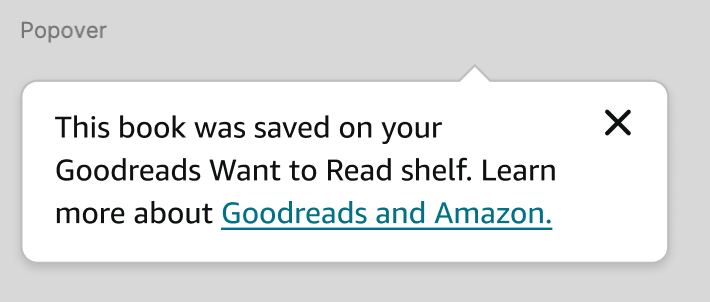
To further maintain trust and transparency with our Goodreads users, I explored a few ways to inform users of what this integration entails and how to hide their GR WTR books or even unlink if they choose. Again, this was a balance between being transparent, and overloading users with too much information, thus we aligned on a short popover that appears upon tapping an info icon.
The rest of the CX.
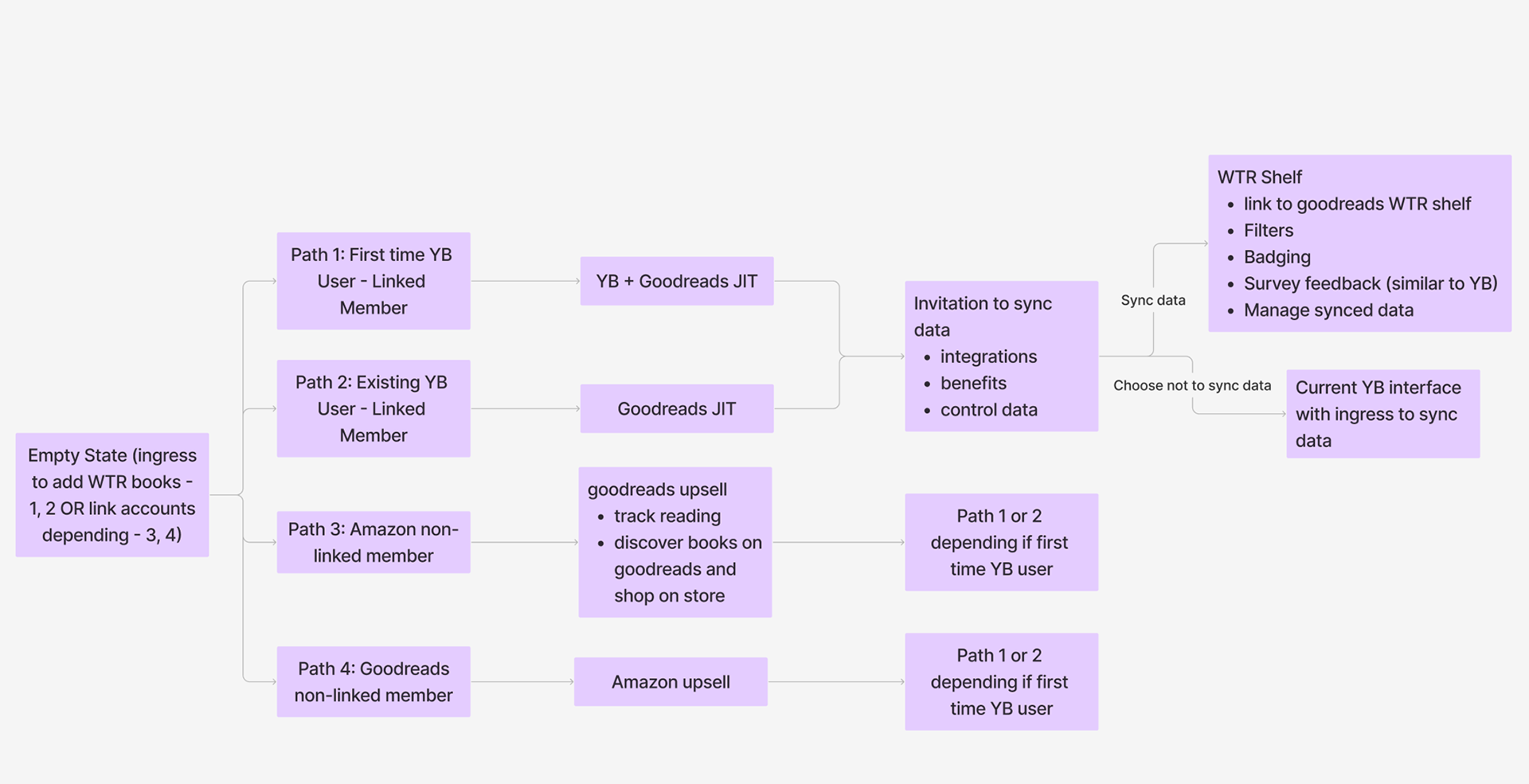
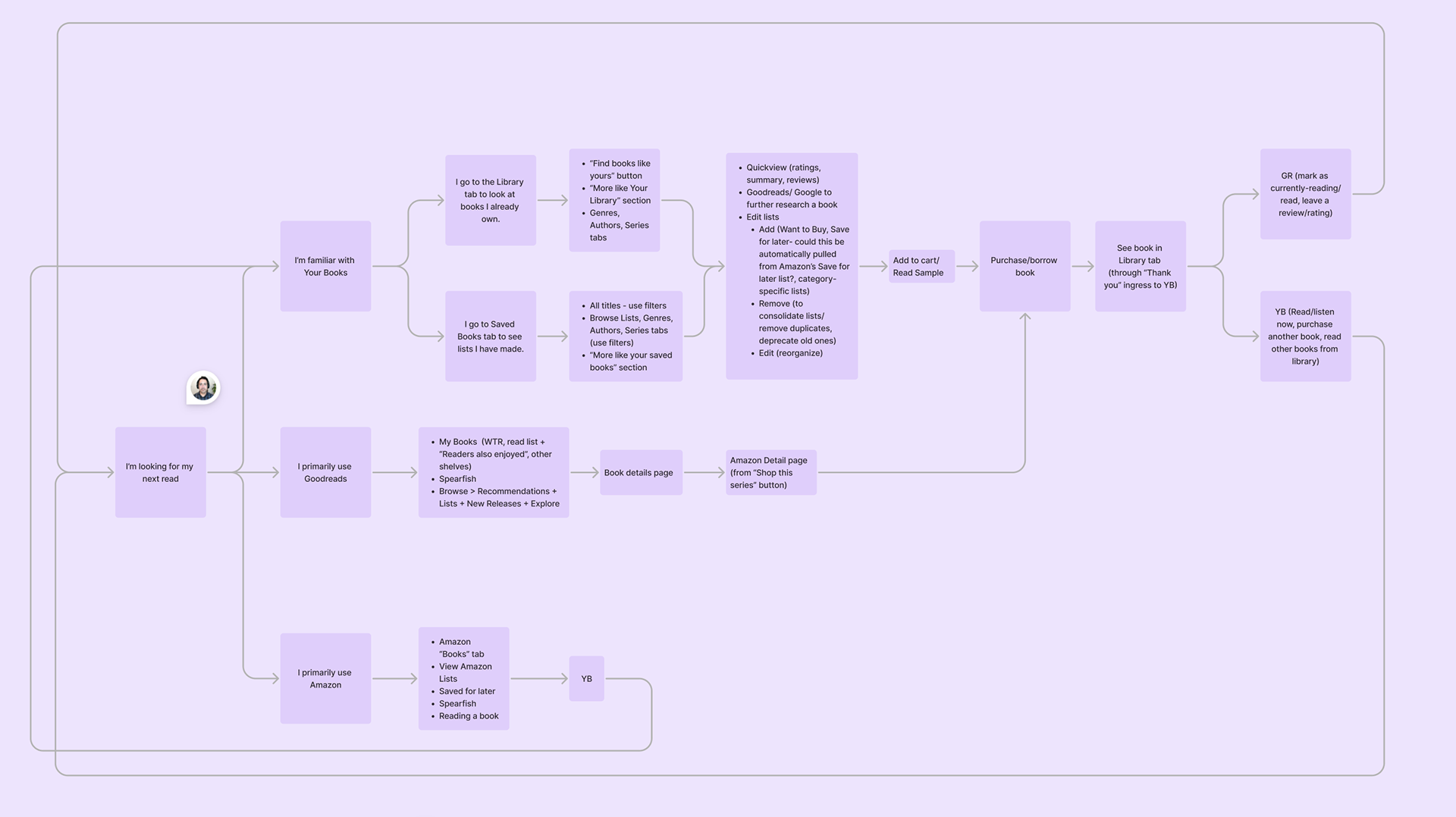
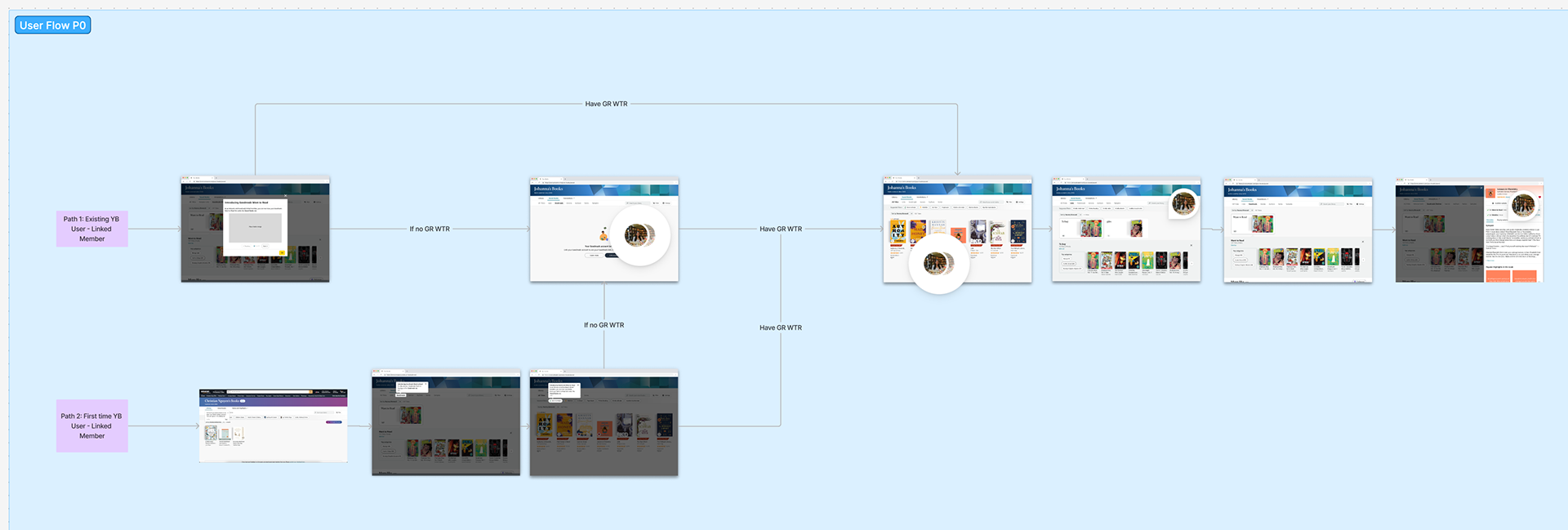
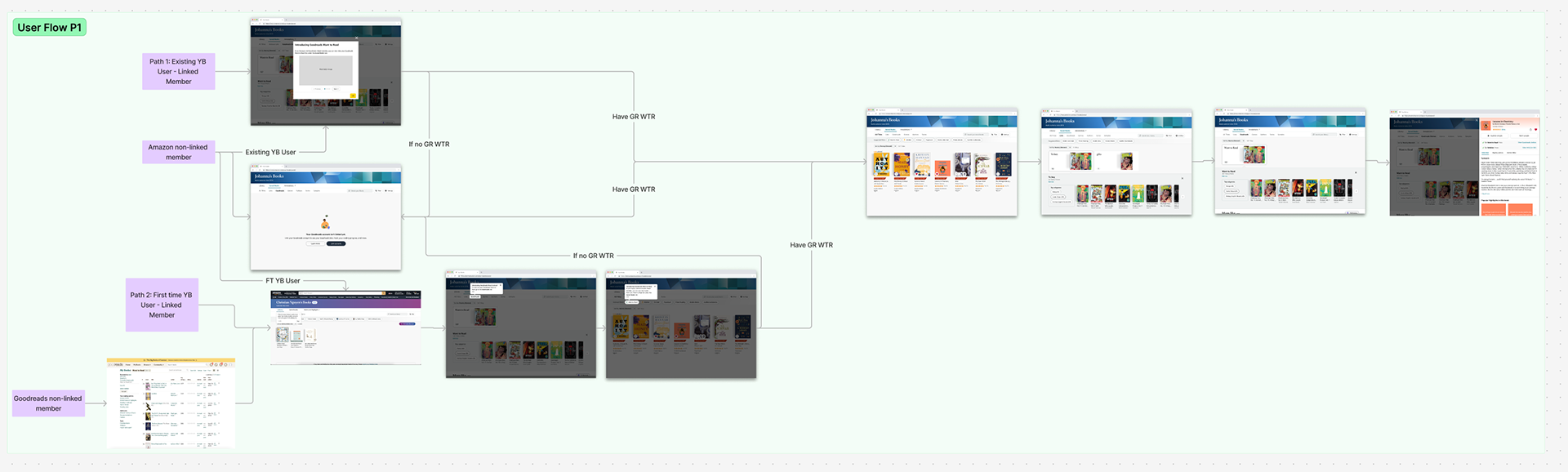
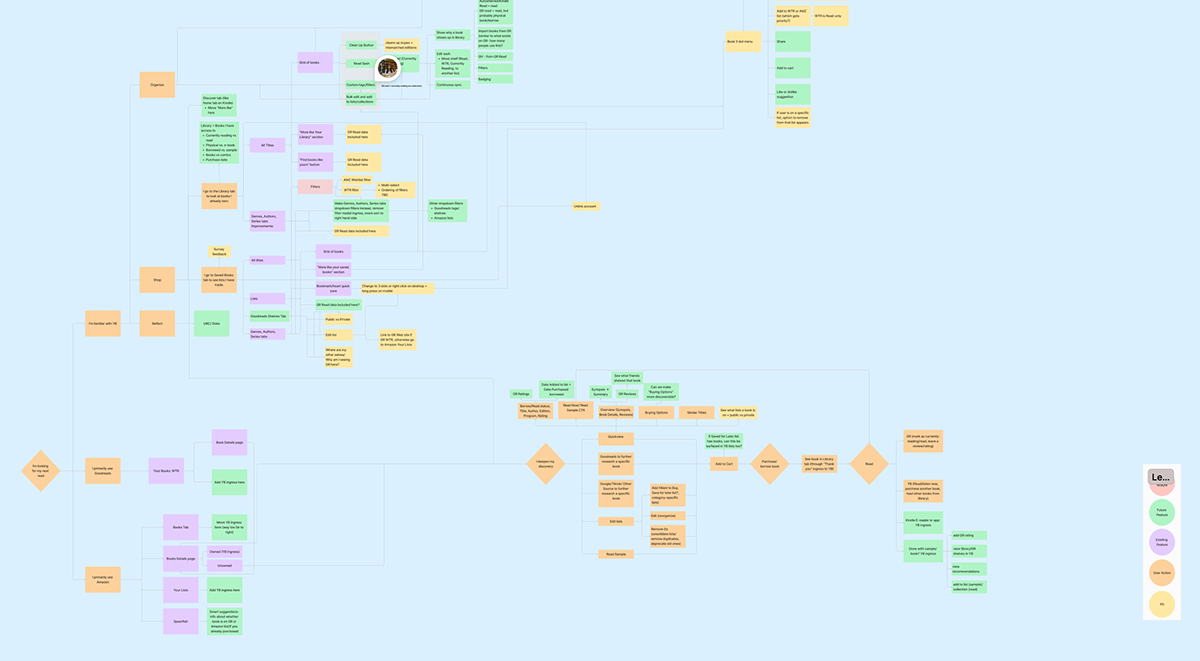
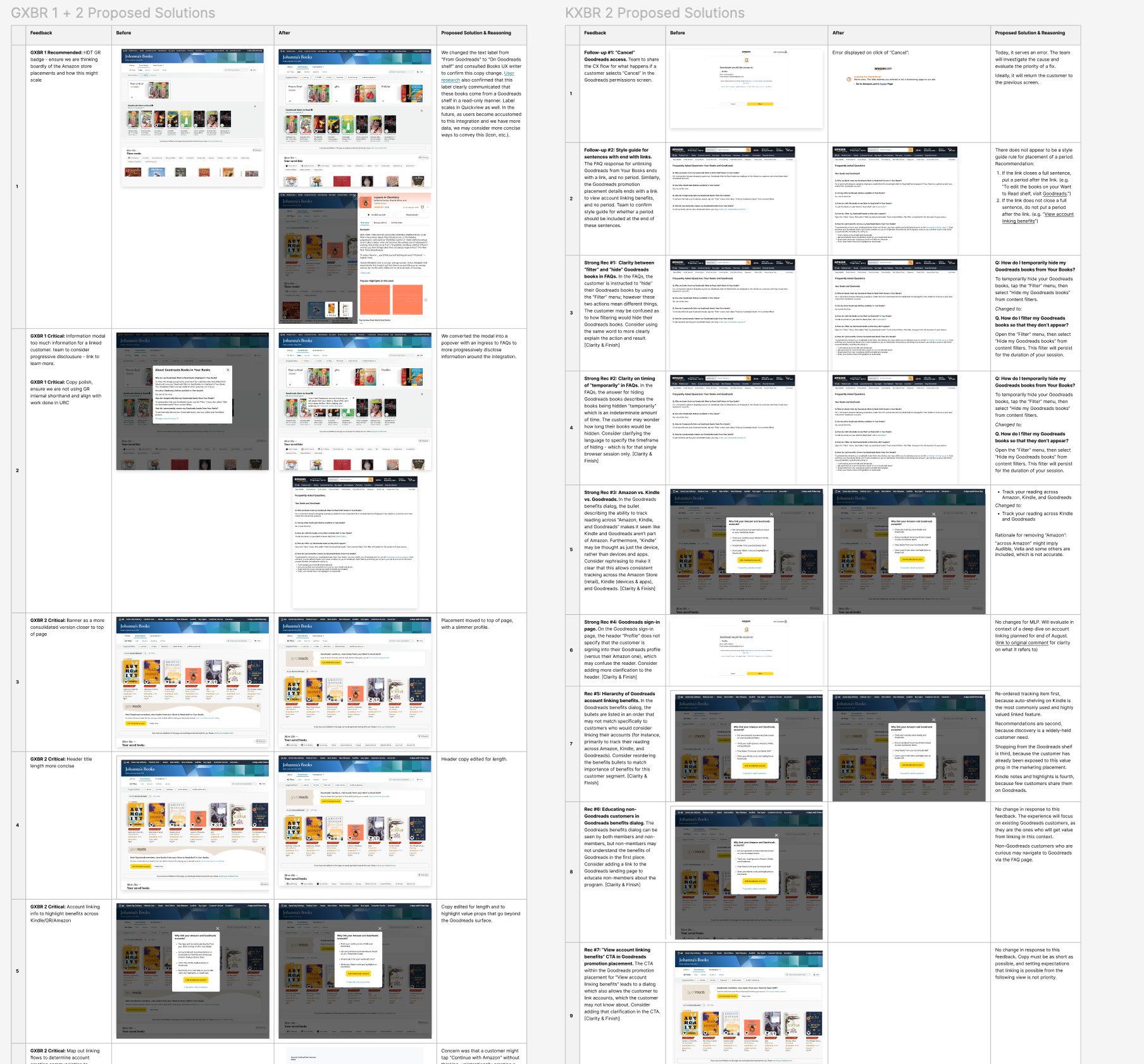
With our key design decisions aligned on amongst product, UX, and leadership, I moved forward with finalizing the designs of the rest of our CX, including lots of flows, reviews, and iterations:
Handoff to engineers.
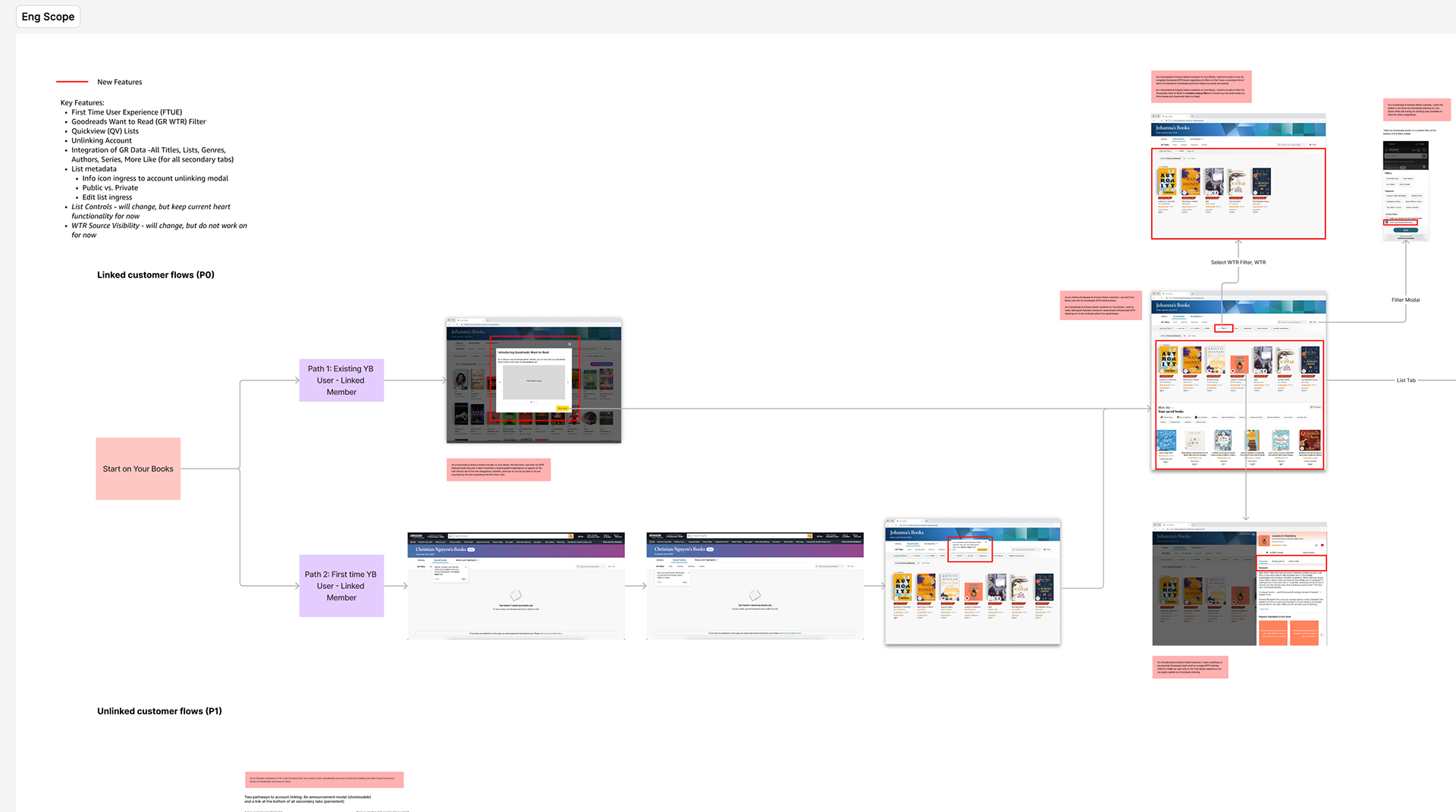
Once the design specs were detailed out, I handed off these designs to engineers to implement.
Launch.
On April 22, 2025, this feature officially launched for linked US customers, enabling 9.2M linked Goodreads and Amazon monthly active users (41.7M total) to easily view and shop their Goodreads Want to Read shelf directly within Your Books, strengthening the connection between discovering books on Goodreads and purchasing them on Amazon.
What's next
After launching this MLP experience, we plan to offer more Goodreads shelves (like Read, and Currently reading) to Your Books, offer full read/write integration between Amazon and Goodreads, and expand to international marketplaces. This will ensure the shopping and tracking experiences are truly seamless and integrated, and are able to be enjoyed by everyone.
What I learned
Working on this integration taught me how to design effectively across two distinct platforms and brands while navigating complex cross-team dynamics. Because this feature spanned Goodreads and Amazon, success depended on tight collaboration across PM, UX, engineering, UXR, and marketing—often amid differing goals, ongoing design changes, and constant reviews.
I learned how to drive alignment on HDTs and decisions, field and synthesize feedback from many stakeholders, and design within an existing information architecture that differed significantly from both Goodreads and Kindle. Just as importantly, I learned how to thoughtfully merge two brands by respecting what makes each valuable to users, prioritizing transparency and user choice around privacy, and making deliberate decisions around hierarchy, badging, and interaction patterns so the integration felt helpful rather than intrusive.